To launch a new product on Amazon with less wasted spend, start from your competitors' ad data instead of a blank keyword list. It shows which search terms your category already pays for, who holds the sponsored placements and where the openings are, so your first campaigns are built on evidence from the market rather than guesses.
A new listing has no history to learn from. Your competitors do, and most of it is visible if you know where to look.
Why Competitor Ad Data Beats Guesswork at Launch
The Core Launch Problem: No History
A brand new ASIN has no search term report, no conversion rate and no organic rank. Every keyword and bid decision in the first weeks is a guess.
Most sellers fill that gap with a keyword tool's volume list and Amazon's suggested bids. Volume tells you how many people search a term. It doesn't tell you whether those searches buy a product like yours, or what it costs to be seen on them.
So the typical launch spends its first month buying data the category already holds.
What Competitor Data Tells You That a New Account Cannot
Established brands in your category have been paying for clicks for months or years. Their ad activity answers questions your new account can't yet:
Which terms they keep funding. A brand that pays for the same term month after month is telling you the term is worth something to them. That isn't a guarantee it will work for you, which is why you still test, but it's a far better starting signal than raw volume.
Which placements are contested. Terms where several brands fight for the top of search will be expensive to win at launch.
Where nobody advertises consistently. Gaps in sponsored coverage are often cheaper visibility.
Who owns the category organically and who is buying their position. That tells you how much of the market is held by ad spend rather than rank.
Read the Category Before You Spend
Use Subcategory and Brand Share to See Who Owns Demand
Amazon's public browse tree is too broad to plan a launch on. SmartScout breaks the catalog into more than 40,000 subcategories, each with revenue, brand count, review depth and price data, so you can see the market your product actually competes in.
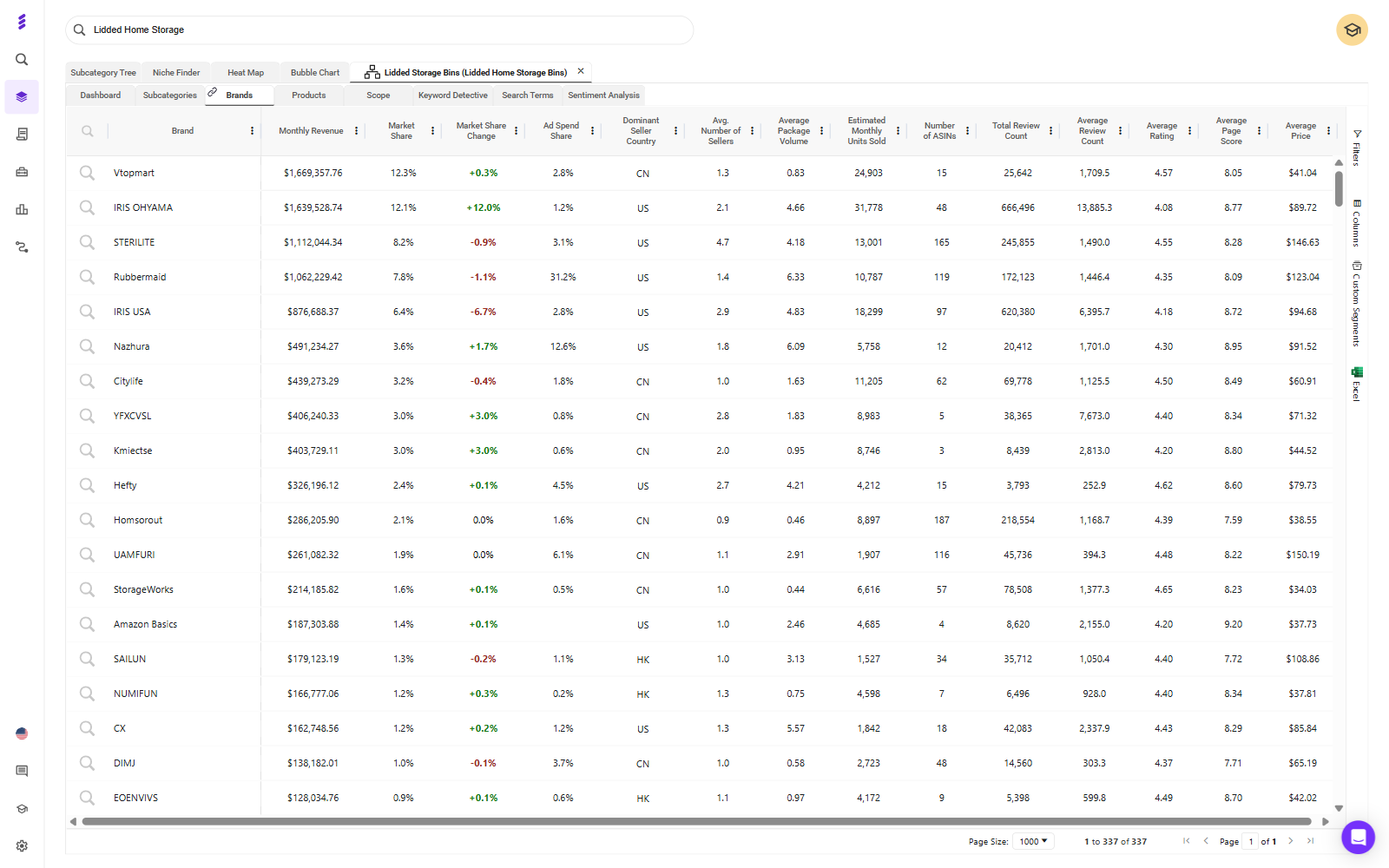
Open your target subcategory and go to its Brands view, which lists every brand selling there with its estimated revenue, market share and share of the subcategory's ad spend.
Image: smartscout-subcategory-brand-share.png | Alt text: SmartScout Brands view for an Amazon subcategory showing each brand's monthly revenue, market share, market share change and ad spend share
What to look for:
Ad spend share against market share. This is your first look at competitor ad data. In the example above, one brand holds under 8% of the subcategory's revenue but over 30% of its estimated ad spend. That brand is buying its position, and a brand whose ad spend share runs well below its market share is holding its position organically.
Concentration. If one or two brands hold most of the revenue, the head terms belong to them for now. Plan to enter through the segments they don't serve well.
Fragmentation. If share is spread across many brands, no one owns the shopper yet and a well-built listing has room.
Review depth. If the top products carry thousands of reviews and you're launching with none, expect broad terms to convert poorly until you've built a review base.
Amazon's own share. If Amazon sells heavily in the subcategory, factor that into your pricing and your expectations.
Separate the Winnable Gaps From the ASINs You Can't Beat Yet
Not every competitor is a target. Sort them into two groups before you spend anything.
Winnable gaps: segments where the leading products rate poorly, are priced above you, or leave a variant, size or pack count uncovered.
ASINs you can't beat yet: strong ratings, deep reviews and a lower price than yours. Attacking these at launch means paying to be compared against a better offer. Come back to them once your listing has reviews.
Finish this step with a short list: your target segment, the 3 to 4 competitors shoppers will compare you with, and the ones to leave alone for now.
Build the Keyword Set From Your Competitors' Best Terms
Pull the Terms Your Top 3 to 4 Competitors Rank and Pay For
Use three views together: one for what the category searches and pays for, one for what each competitor ranks on, and one for where they overlap.
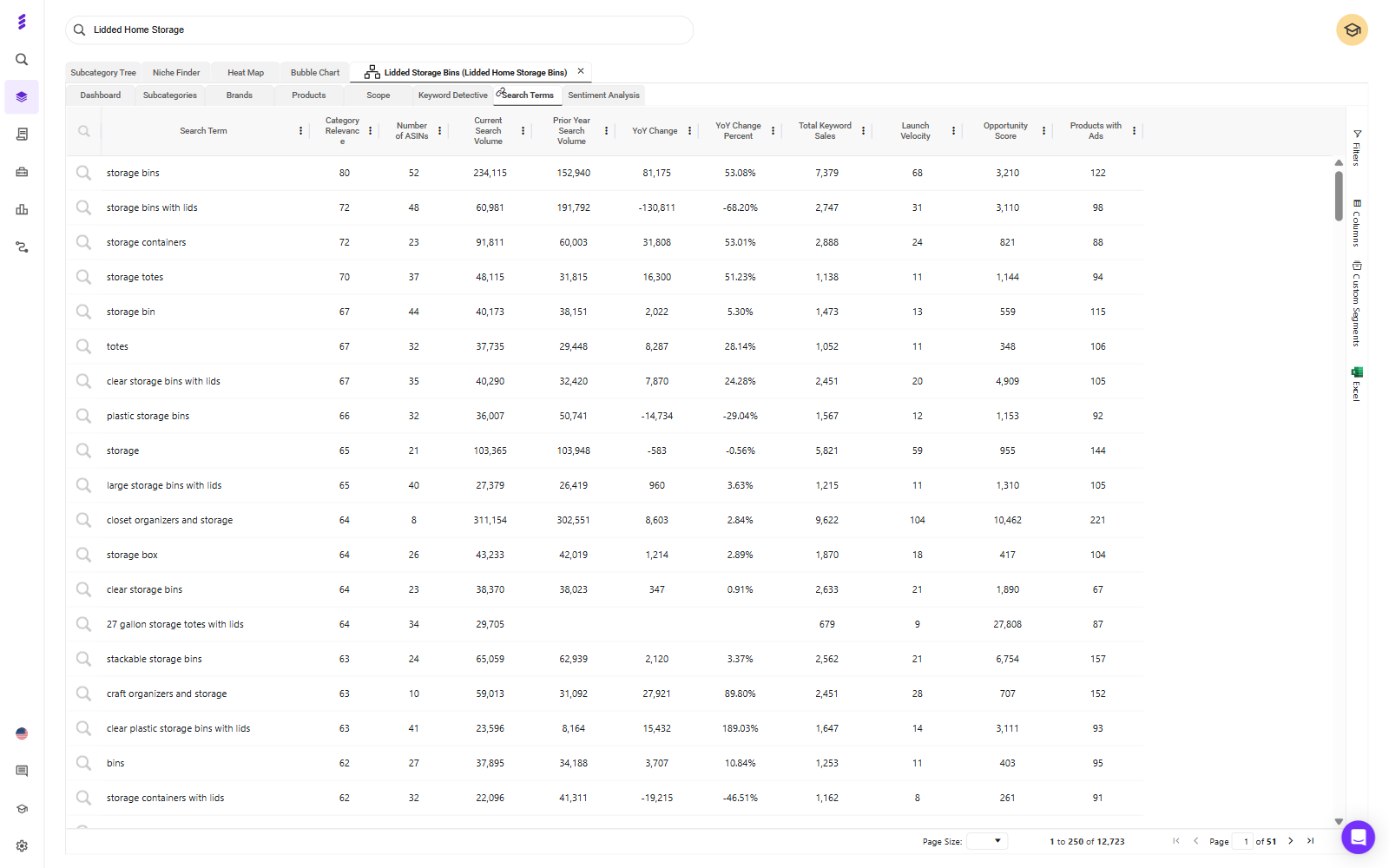
Search Terms for the category. Inside your subcategory, the Search Terms view lists the terms shoppers use to find these products, with search volume, year-on-year change and how many products advertise on each one.
Image: smartscout-subcategory-search-terms.png | Alt text: SmartScout Search Terms view for an Amazon subcategory showing search volume, year-on-year change and the number of products with ads on each term
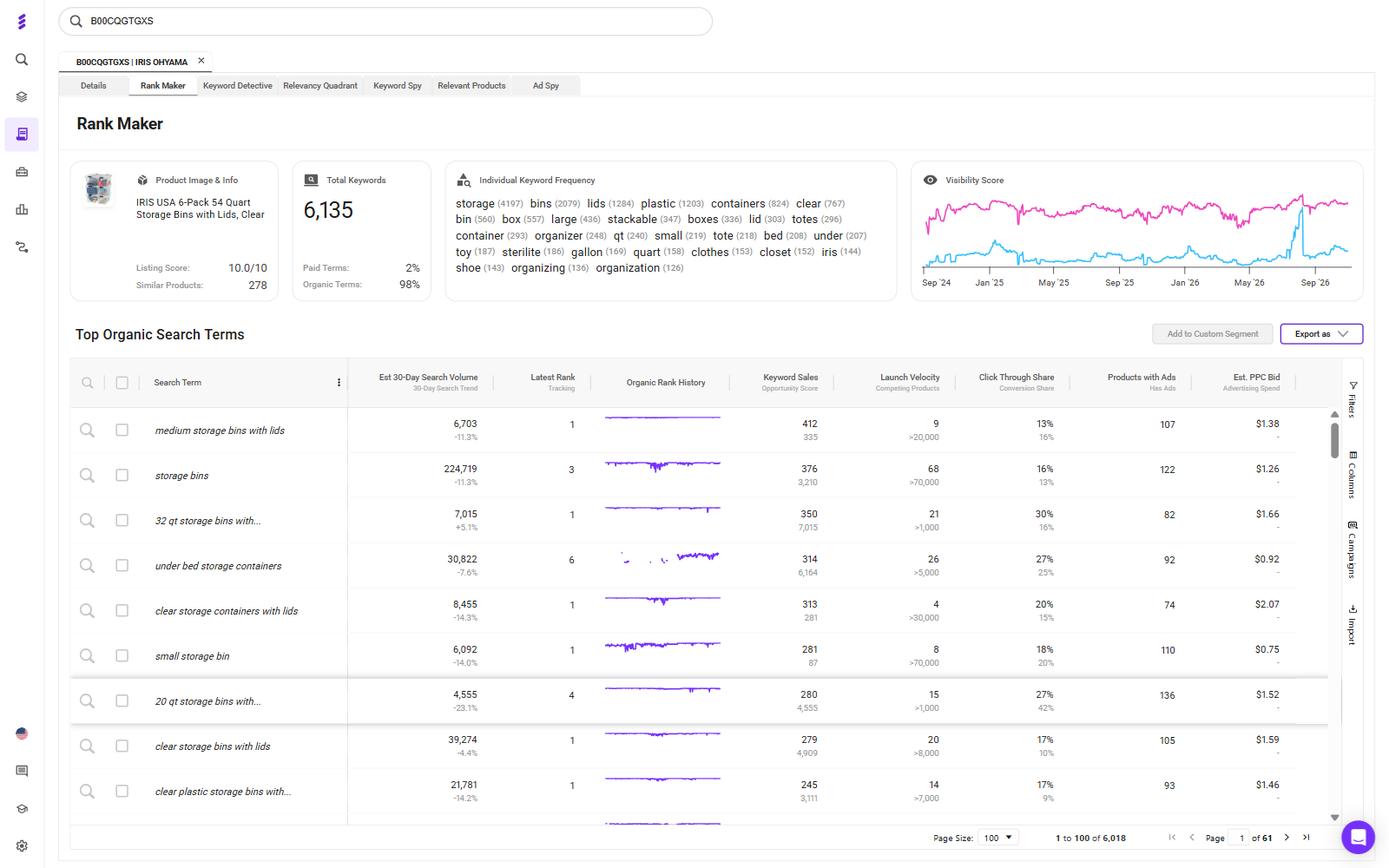
Rank Maker for each competitor. Run a competitor's main ASIN through Rank Maker to see the keywords it ranks for, how its terms split between paid and organic, its organic rank history and an estimated PPC bid for each term.
Image: smartscout-rank-maker-competitor-keywords.png | Alt text: SmartScout Rank Maker showing the keywords a competitor ASIN ranks for, its paid and organic split and estimated PPC bids
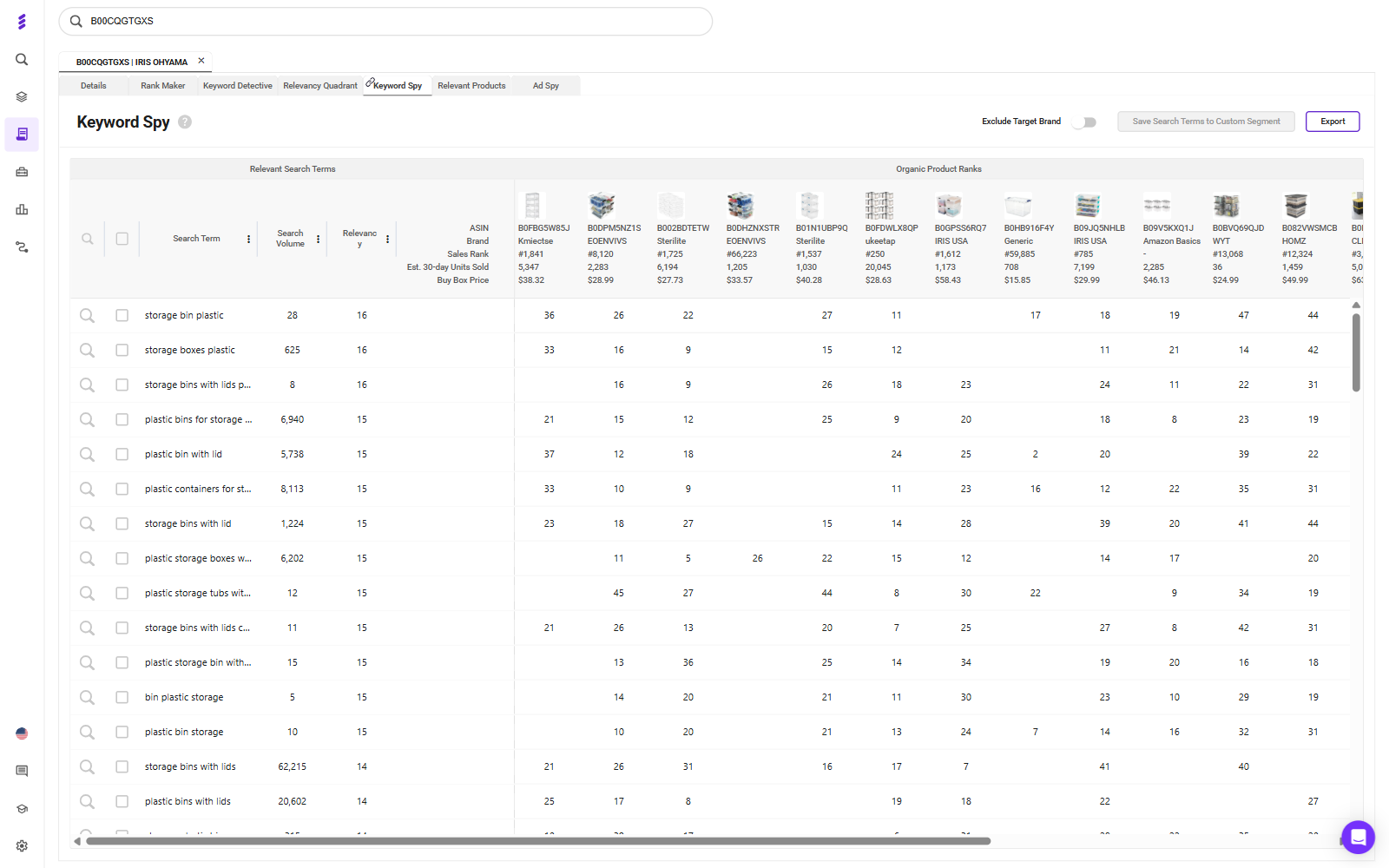
Keyword Spy for the overlap. Keyword Spy lines up the relevant search terms against the organic ranks of competing ASINs, so you can see which terms several competitors rank on at once.
Image: smartscout-keyword-spy-competitor-overlap.png | Alt text: SmartScout Keyword Spy comparing search terms against the organic ranks of competing ASINs
The strongest launch candidates are the terms that appear across several competitors and still carry heavy ad competition. A term brands already rank on and keep paying to defend is one they clearly value.
On an Enterprise plan, SmartScout's Ad Spy goes a step further: enter a competitor brand and you see its paid search terms, the estimated searches on each, and how often it wins Sponsored Products, Sponsored Brands and top-of-search placements. Its spend numbers are estimates built from search volume, CPC, placement win rates and average click-through rates, and they leave out page two, Sponsored Display, product page targeting and DSP.
Treat every ad spend figure as an estimate, the ad spend share in the Brands view included. Use them to compare competitors against each other, not to set your budget to the cent.
Bucket by Job: Head, Mid-Tail and Long-Tail
Every term on the list has a different job at launch:
Head terms buy visibility at poor efficiency. Keep them small at launch, or hold them back until you have reviews.
Mid-tail terms are where intent and conversion usually sit. These are the core of your launch.
Long-tail terms are cheap volume with little competition. Let them feed your discovery campaigns.
Run a Relevance Check Against Your Own Listing
Before a term goes into a campaign, compare it with your listing. If a shopper searching that term would pick the competitor's product over yours on the results page, don't buy the click.
A competitor might rank for "with lid" or "pack of 6" because its product has those features. If yours doesn't, cut the term. A lower bid doesn't fix a mismatch between the search and the product.
Structure the Launch Campaigns
Fix the Listing Before You Buy Traffic
Ads send shoppers to your product detail page. They can't make that page convert. Get the images, title, bullets and A+ content right before any campaign goes live.
Reviews are the real early constraint for most launches. If your product is eligible, Amazon Vine is the cleanest way to get the first reviews in front of shoppers.
Give Each Match Type Its Own Campaign
Run Exact, Phrase, Broad and Auto as separate campaigns, never mixed in one. When they share a campaign, spend drifts to Broad, Exact gets starved and the reporting loses the signal you need to set bids.
Keep branded and non-branded terms in separate campaigns as well. They do different jobs, and blending them hides what your acquisition spend is actually doing. There's a fuller breakdown in this guide to Amazon PPC campaign structure.
Pair Low-Bid Discovery With a Tight Exact Campaign
Exact: a small campaign on the 5 to 10 overlap terms from your competitor research that you're most confident about. Give it higher bids and a protected budget.
Use Competitor Pages as Ad Placements
Target Competitor ASINs Only Where You Win the Comparison
Product targeting puts your ad on a competitor's detail page, where the shopper compares you side by side. That works when you win the comparison they're making: price, review count, star rating or pack size. If you're the weaker offer on that page, you're paying to advertise their product.
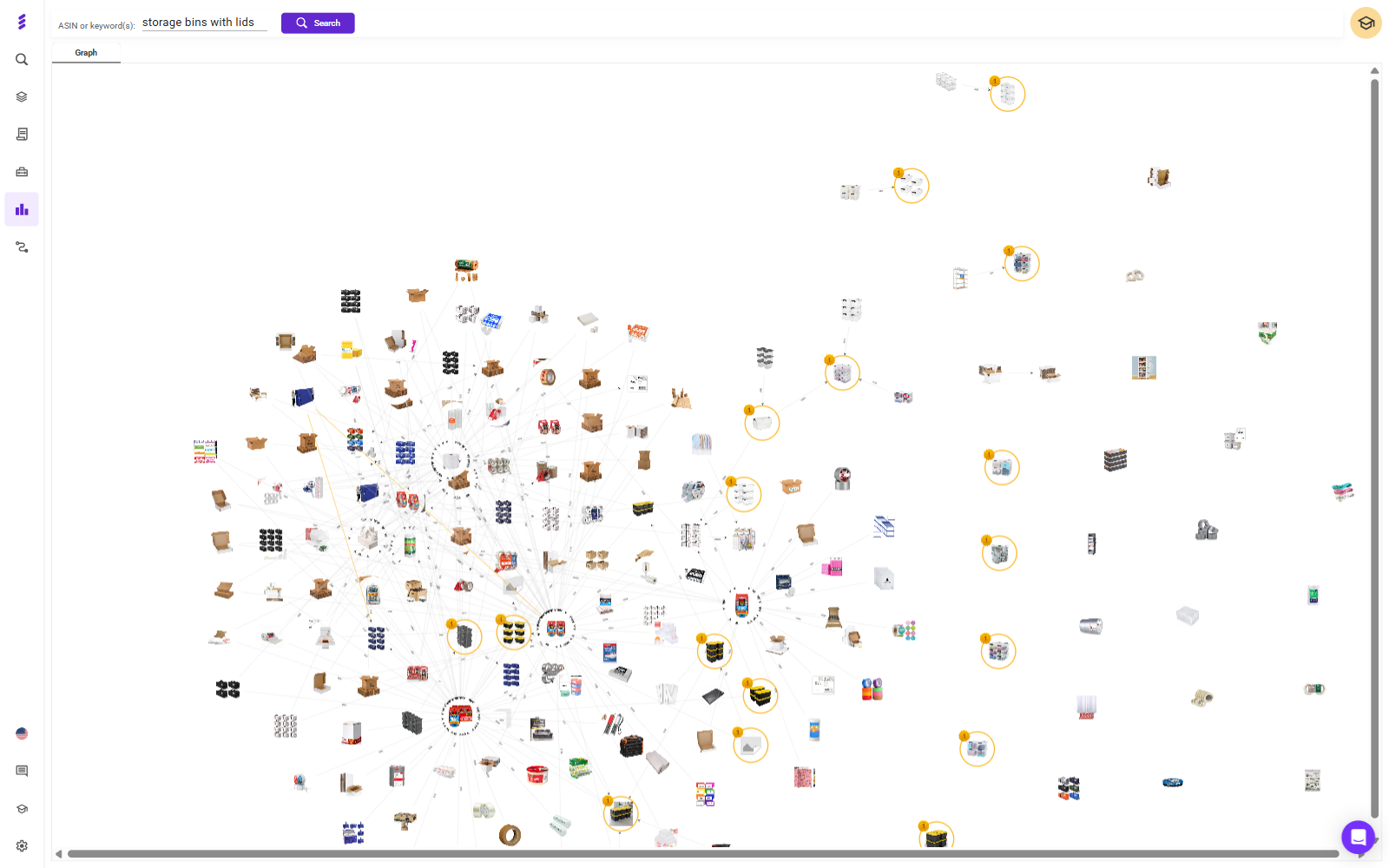
SmartScout's Traffic Graph maps which products shoppers move between, through frequently bought together and also-viewed links. Run it on your main launch keyword and it shows the product pages that already carry the shoppers you want, which makes them natural candidates.
Image: smartscout-traffic-graph-launch-keyword.png | Alt text: SmartScout Traffic Graph mapping the products shoppers move between for an Amazon launch keyword
Two more points:
Target the weak segment of a category. Category targets can be refined by brand, price and star rating. Aim at competitors rated under four stars, or priced above you, rather than the whole category.
Start small and judge on conversion. SmartScout's ad estimates don't cover product page targeting, so you won't see what competitors spend there. Click-through rates are naturally lower on detail pages than in search, so judge these campaigns on conversion and return on ad spend, not CTR.
Defend Your Own Detail Page
Once you're live, target your own ASIN pages too. It's cheap, and it keeps the ad slot under your product from going to a competitor at the moment the shopper is deciding. If you sell complementary products, this is also where they cross-sell.
Bid and Harvest in the First 30 Days
Accept Bad Efficiency Early
For the first month you're buying two things: rank and data. Your ACoS will look poor, and that's expected.
Move bids in small steps, around 10 to 15% every two to three days, so you can tell which change caused which result.
Harvest Converters Into Exact, Then Negate Them at the Source
Once a week, pull the search term report from your Auto, Broad and Phrase campaigns:
Move search terms that convert into your Exact campaign.
Add those same terms as negative exact in the campaign they came from, so you aren't paying for the same search in two places or losing control of which campaign serves it.
Add negative phrase targets for whole themes that are clearly irrelevant.
Give discovery time to work. Amazon suggests letting a new automatic campaign run for about two weeks before you build manual campaigns from its data.
Agree the Kill Criteria Before Spend Starts
Decide before you spend: what conversion rate, by what date, at what spend, and what happens if you miss it. Fix the listing, change the price, pause or liquidate.
Apply the same discipline to individual terms. At a 10% conversion rate, 10 clicks should produce about one order. Give a term two to three times that before you judge it, then pause it rather than shaving the bid forever.
The worst launches I've seen had no stop condition. They ended by attrition, long after the data had made the answer clear.
Measure the Launch on TACOS, Not ACoS
Why ACoS Should Look Bad During a Launch
ACoS is ad spend divided by ad sales. During a launch you're paying for rank that will later earn organic sales, and ACoS gives that spend no credit for them.
TACOS is ad spend divided by total sales, ads and organic together. If the launch worked, organic sales grow and TACOS falls over the following months, even while ad spend holds steady. That falling line is the proof. You can track it with a free TACOS calculator.
Neither number is the goal, though. Profit is. A 30% ACoS is healthy on a product with a 50% margin and a loss on one with a 20% margin, so know your margin before you set any target.
Track Organic Rank on Your Launch Terms as the Leading Indicator
Sales lag visibility. Once you're live, run your own ASIN through Rank Maker every week. The organic rank history on each launch term, and the visibility score trend above it, show whether the rank you paid for is holding. A term where organic rank keeps climbing is one you can start to bid down.
On an Enterprise plan, SmartScout's Share of Voice adds the category view: it splits your visibility on a set of keywords into organic and paid, week by week, against the rest of the category.
Conclusion
The fastest way to launch a new product on Amazon is to start from what your category already knows. Read the subcategory to find where you can win, build your keyword set from the terms competitors rank on and keep paying for, structure campaigns so every match type has its own job, and agree your kill criteria before the first dollar goes out.
Then judge the result the way a launch should be judged: by TACOS falling and organic rank rising over the following months, not by ACoS in the first one.
Shoppers can ask Amazon questions such as “Which carry-on fits a weekend trip and a small overhead bin?” For brands and sellers, that makes clear product information essential: your listing needs to explain who a product suits, what it does, and where it fits.
The best software tools for Alexa for Shopping help with different parts of that job. SmartScout helps diagnose content gaps, Azoma offers direct visibility tracking, and ReFiBuy combines product data enrichment with Alexa monitoring. Helium 10, DetailPage, and Salsify help teams create, optimize, and manage product information.
This is a SmartScout-published guide. The selections below reflect each tool’s documented capabilities and practical fit, rather than a controlled performance test.
What Is Alexa for Shopping
Amazon’s Alexa for Shopping brings together Rufus’s shopping expertise and Alexa+ personalization. It works in the Amazon Shopping app and website, with shopping experiences also available on Echo Show.
Amazon says the assistant combines product knowledge and information from across the web with customers’ preferences, shopping history, and conversations. It can answer questions, compare products, and recommend options.
For sellers, the practical implication is to make product information specific enough to answer real buying questions. Keywords remain useful, but “travel backpack” alone says less than accurate details about capacity, dimensions, compartments, and intended use.
Best Alexa for Shopping Software at a Glance
Tool
Best fit
Role in improving visibility
SmartScout
Diagnosing Amazon listing content gaps
AI Scorecard with 15 dimensions; separate ChatGPT visibility and citation monitoring
Azoma
Measuring presence in Alexa for Shopping
Advertised tracking of mentions, recommendations, competitors, and citations
Helium 10
Building listings from keywords and shopper questions
AI Listing Builder with Rufus-derived customer insights
DetailPage
Managed product content optimization
Search content, image analysis, publishing support, and Amazon analytics
ReFiBuy
Product data enrichment and Alexa monitoring
Listing assessments, reviewed content improvements, and visibility tracking
Salsify
Managing large product catalogs
Product data management, Amazon syndication, and A+ publishing
Content diagnostics, content production, and assistant visibility tracking measure different things. A higher listing score is useful feedback, but it is not proof that Alexa recommended the product.
1. SmartScout
Best for Identifying What Your Amazon Content Needs To Communicate More Clearly.
SmartScout’s Amazon AI Scorecard evaluates product content across 15 dimensions aligned with Amazon’s COSMO approach to product understanding. It helps brands assess whether their listings clearly communicate product identity, intended audience, functionality, use cases, and other important context.
The scorecard combines a listing grade with written and visual content analysis and actionable recommendations. That makes it useful for prioritizing improvements across a catalog.
For example, a backpack listing might describe “premium materials” without clearly explaining laptop compatibility or storage capacity. The useful next step is to add verified product details that answer those questions.
The score is SmartScout’s assessment of content readiness, rather than an Amazon-issued rating or a direct measurement of Alexa recommendations.
SmartScout also offers anAI Visibility Monitor that tracks product and brand visibility in ChatGPT, including competitor comparisons and the websites cited in responses. It does not monitor Alexa for Shopping.
That separate view can help brands identify web content and mentions to investigate as part of a broader AI discovery strategy. ChatGPT citations do not establish which sources Alexa uses for the same question.
Choose SmartScout when: You want a practical Amazon content audit alongside visibility into how ChatGPT presents your products.
2. Azoma
Best for Brands That Want To Measure Visibility Directly Inside Alexa for Shopping.
Azoma advertises share-of-voice tracking for Alexa for Shopping at the category, brand, and ASIN level. Its product-level tools track mentions, rankings, and competitive visibility across shopper queries.
It also offers a Conversation Explorer for identifying product questions and citation intelligence for examining websites referenced in shopping recommendations.
For teams asking, “Are we appearing, and which competitors appear instead?” this is a more direct fit than a content score alone. During evaluation, ask how the platform selects prompts, repeats measurements, and handles personalization. Those details determine what its visibility metrics represent.
Choose Azoma when: Measuring Alexa recommendations and competitive presence is a central requirement.
3. Helium 10
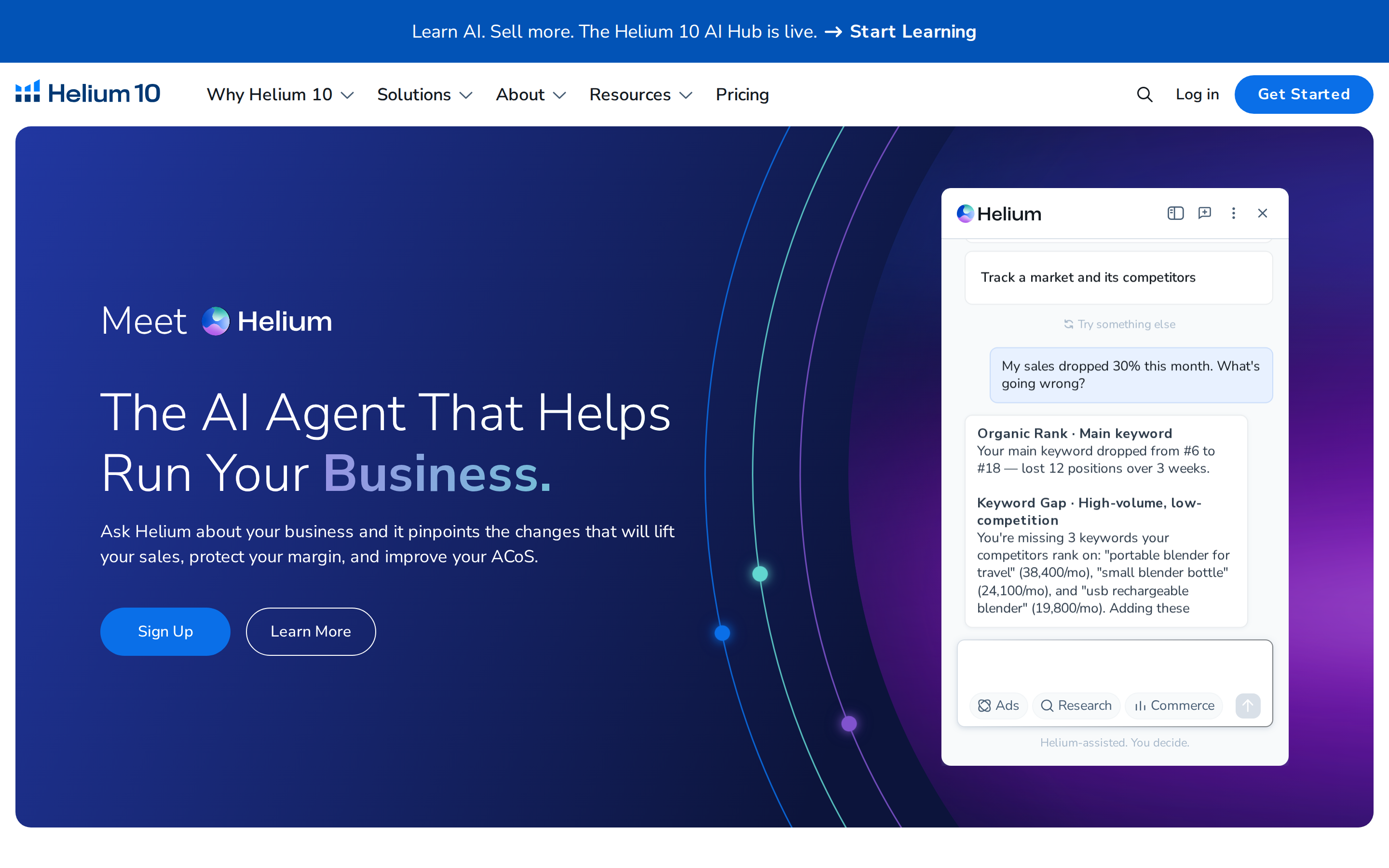
Best for Combining Keyword Research With Questions Shoppers Ask Amazon’s AI.Helium 10’s AI Listing Builder combines keyword inputs, product information, images, and brand voice to generate listing content.
Its documented Rufus integration lets users enter up to two ASINs and incorporate extracted customer questions and concerns into listing generation. That is useful when a listing includes relevant keywords but still leaves important buying questions unanswered.
Its strength here is turning research into titles, bullets, and descriptions. Treat that workflow as content optimization rather than evidence of increased Alexa share of voice.
Choose Helium 10 when: Your team already uses its keyword tools and wants shopper questions incorporated into listing updates.
4. DetailPage
Best for Brands That Want Managed Content Optimization Backed by Retail Analytics.DetailPage combines product detail page content optimization, image analysis, and analytics. Its search offering addresses traditional retailer search and AI shopping discovery, including Amazon’s shopping assistant.
The service includes content updates, uploads, monitoring, and support tickets. Its image analysis uses customer feedback to identify important features and gaps in how product benefits are communicated, helping teams turn recommendations into published improvements.
DetailPage’s Insights platform also provides Amazon metrics and share-of-voice reporting for ChatGPT and Gemini. Keep those chatbot metrics separate from Alexa visibility: its relevance here is primarily content optimization and execution.
Choose DetailPage when: You want a partner to improve and maintain product content, with analytics to support ongoing decisions.
5. ReFiBuy
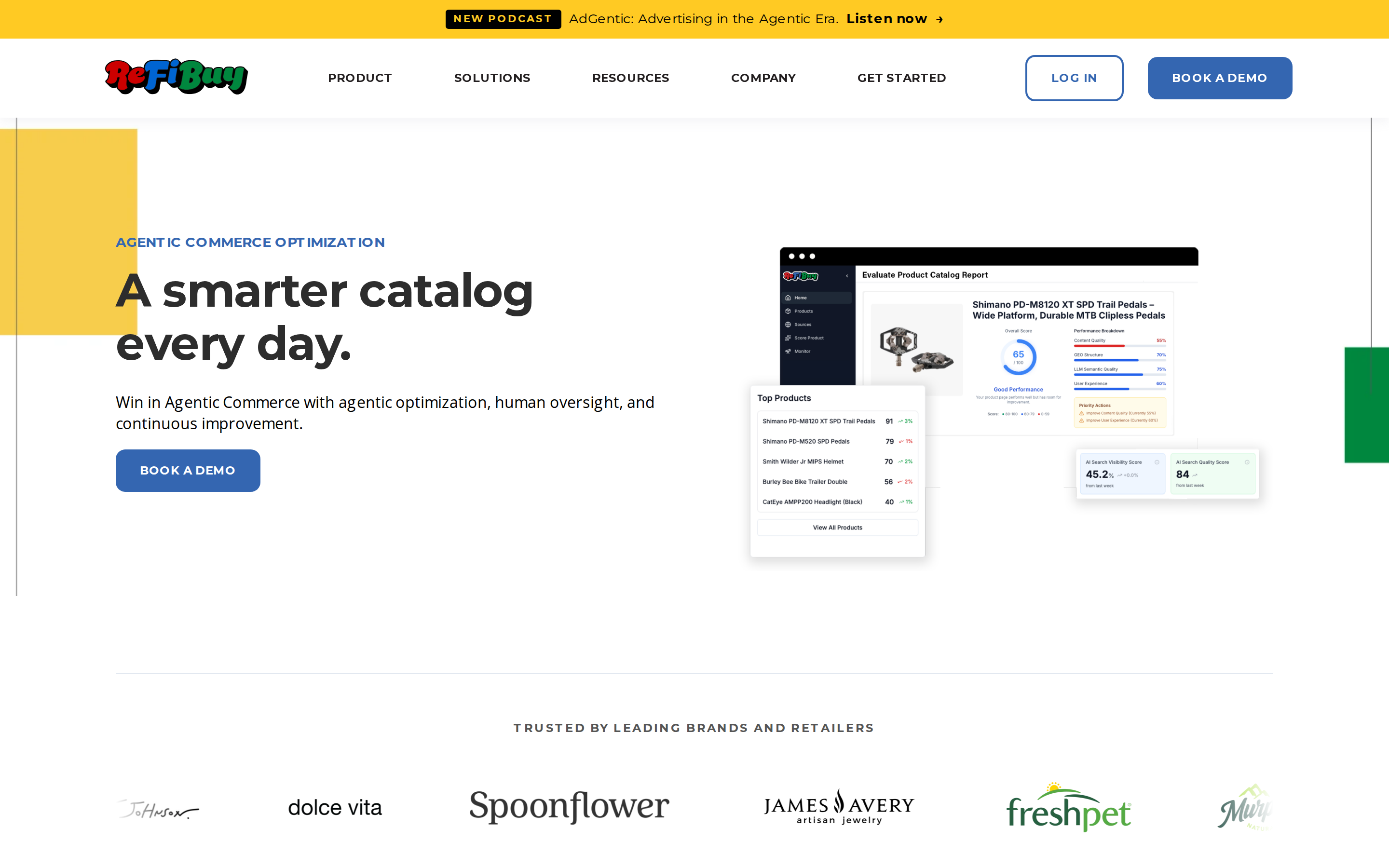
Best for Connecting Amazon Listing Assessments, Product Data Enrichment, and Alexa Visibility Monitoring.ReFiBuy’s Alexa for Shopping offering identifies gaps in Amazon product data, recommends improvements to content and attributes, and tracks how products appear in the assistant’s responses.
Its Amazon PDP Score establishes a baseline across availability, findability, trust, and selection. Teams can compare existing and proposed content, review confidence scores, and approve, edit, or reject recommendations before using them.
This workflow is useful when product knowledge exists inside the business but is missing from listings—for example, details about fit, materials, or specific use cases. ReFiBuy connects those content improvements with ongoing observation of Alexa responses; its PDP score remains a diagnostic, not an Amazon-issued ranking.
Choose ReFiBuy when: You want listing enrichment and Alexa visibility monitoring in the same workflow, with human review of proposed changes.
6. Salsify
Best for Brands Managing Product Information Across Large Catalogs and Multiple Channels.Salsify centralizes product data and digital assets, syndicates content to Amazon, and supports publishing Basic and Premium A+ content through direct integrations.
For larger brands, the obstacle is often inconsistent information: specifications live in one system, images in another, and retail pages contain outdated descriptions.
Salsify helps teams maintain and distribute that information. Its relevance to Alexa for Shopping is the foundation it provides for complete, consistent product content; its Amazon publishing capabilities are not themselves a measurement of AI recommendations.
Choose Salsify when: Content governance, catalog consistency, and publishing workflows are your biggest challenges.
How To Improve Your Visibility in Alexa for Shopping
Start with a small group of important ASINs and follow a repeatable process.
Define realistic shopper questions. Include use cases, comparisons, compatibility, dimensions, and limitations.
Audit your content. Use SmartScout’s AI Scorecard to identify missing or unclear information.
Publish specific improvements. Update relevant attributes, bullets, descriptions, images, and A+ content with verified facts.
Measure the right outcome. Track Alexa answers separately from keyword rankings, content scores, and ChatGPT visibility.
Repeat the same questions over time. Record the prompt, date, marketplace, and testing conditions so changes are easier to interpret.
Because Amazon personalizes its assistant, one answer is a snapshot. Look for repeatable patterns across a defined question set.
Which Tool Should You Choose
For brands and sellers starting with listing improvements, SmartScout is a strong starting point. Its AI Scorecard turns content gaps into an actionable list of fixes.
Add Azoma for direct Alexa visibility measurement, or ReFiBuy for a workflow combining listing enrichment and Alexa monitoring. Choose Helium 10 for listing generation tied to keyword research, DetailPage for managed content optimization, or Salsify for catalog management.
The goal is to give Amazon clear, accurate information that helps it match your products to relevant shopper needs.
6 Best Tools for Improving Alexa for Shopping Visibility for Brands and Sellers
SmartScout is our first choice among DataHawk alternatives for brands and agencies focused on competitor research, market share, and marketplace growth. Intentwise is worth evaluating for data pipelines and custom reporting, Jungle Scout Cobalt for Amazon category strategy, and Profitero for digital shelf monitoring across retailers.
The right choice depends on what you need to replace. DataHawk combines connected account analytics with competitive tracking. A tool that helps you discover growing brands may solve a different problem from one that consolidates your sales and advertising reports.
Disclosure: This guide is published by SmartScout. We put our platform first for market intelligence, while explaining where other options—and DataHawk itself—may fit better.
DataHawk Alternatives at a Glance
Tool
Our recommended use case
What to evaluate before switching
SmartScout
Competitor research and market intelligence across Amazon, TikTok Shop, and Walmart
Required marketplace coverage, plan access, and reporting integrations
Intentwise
Connected commerce data and custom analytics
Data sources, destinations, setup requirements, and included modules
Jungle Scout Cobalt
Amazon category strategy and competitive benchmarking
Coverage of your categories, market segments, and internal workflows
Helium 10
Product research, keywords, and day-to-day Amazon selling
Tool allowances, tracking limits, and add-on costs
Profitero
Digital shelf performance across multiple retailers
Retailer coverage, tracked assortment, and implementation scope
sellerboard
Profitability and operational reporting
Cost inputs, account coverage, and reporting requirements
These recommendations compare workflow fit, rather than treating every platform as a complete replacement for DataHawk.
What DataHawk Does Well
DataHawk brings marketplace sales, advertising, SEO, and inventory analytics together. Its digital shelf capabilities also cover product tracking, keyword visibility, pricing, and category performance.
That combination can suit teams that need recurring reports and a consistent view of marketplace performance. DataHawk also supports connections to external analytics tools and offers MCP access for working with data through AI assistants.
Before switching, identify the actual gap: broader competitor discovery, a different reporting setup, more seller tools, or clearer profitability. If DataHawk already supports your reporting infrastructure well, adding a specialist research tool may make more sense than replacing it.
1. SmartScout
Our Pick for Competitive Market Intelligence
SmartScout helps brands, sellers, and agencies understand the market around their business: which brands are growing, which sellers carry them, where demand is concentrated, and where competitors are gaining visibility.
Its connected research tools let you start with a market and work down to the brands, sellers, products, and keywords that explain it.
Key capabilities include:
Brand and seller research: Explore estimated revenue, product portfolios, seller relationships, and growth.
Category analysis and custom segments: Evaluate market share within Amazon categories or define a competitive set around relevant brands and products.
Rank Maker: Use reverse ASIN research, keyword metrics, and rank history to uncover search opportunities.
AdSpy and Share of Voice: Investigate competitor advertising and search visibility.
TikTok Shop and Walmart intelligence: Extend marketplace research beyond Amazon.
AI connectivity: Access supported SmartScout data through connected AI assistants.
For example, a supplement brand could investigate a growing niche, identify the brands taking share, examine their keyword visibility, and use those findings to prioritize its own research and campaigns.
SmartScout vs DataHawk: We recommend SmartScout when competitive discovery and market sizing drive the buying decision. DataHawk deserves consideration when connected account reporting and an established analytics setup are the priority. Both cover competitive analysis; evaluate the depth and workflow against your actual questions.
Important tradeoff: Marketplace intelligence does not automatically replace every financial report, data pipeline, or operational dashboard. Verify your required integrations and plan entitlements.
Our Pick for Data Infrastructure and Custom Reporting
Intentwise is a strong candidate when the part of DataHawk you want to replace is the collection, organization, and delivery of commerce data.
Its Foundation offering connects advertising, retail, and other commerce signals for analytics and AI workflows. Its Analytics Cloud documentation covers reporting integrations such as Power BI, Tableau, and Looker Studio, along with database and warehouse connections.
For an agency managing several client accounts, that can support a consistent reporting process built around the agency’s own metrics.
Choose it when: Your team needs connected data feeding dashboards, warehouses, or internal applications.
Important tradeoff: Define the required sources, destinations, and reporting ownership before comparing proposals. A data infrastructure project has different requirements from a research subscription.
3. Jungle Scout Cobalt
Our Pick for Amazon Category Strategy
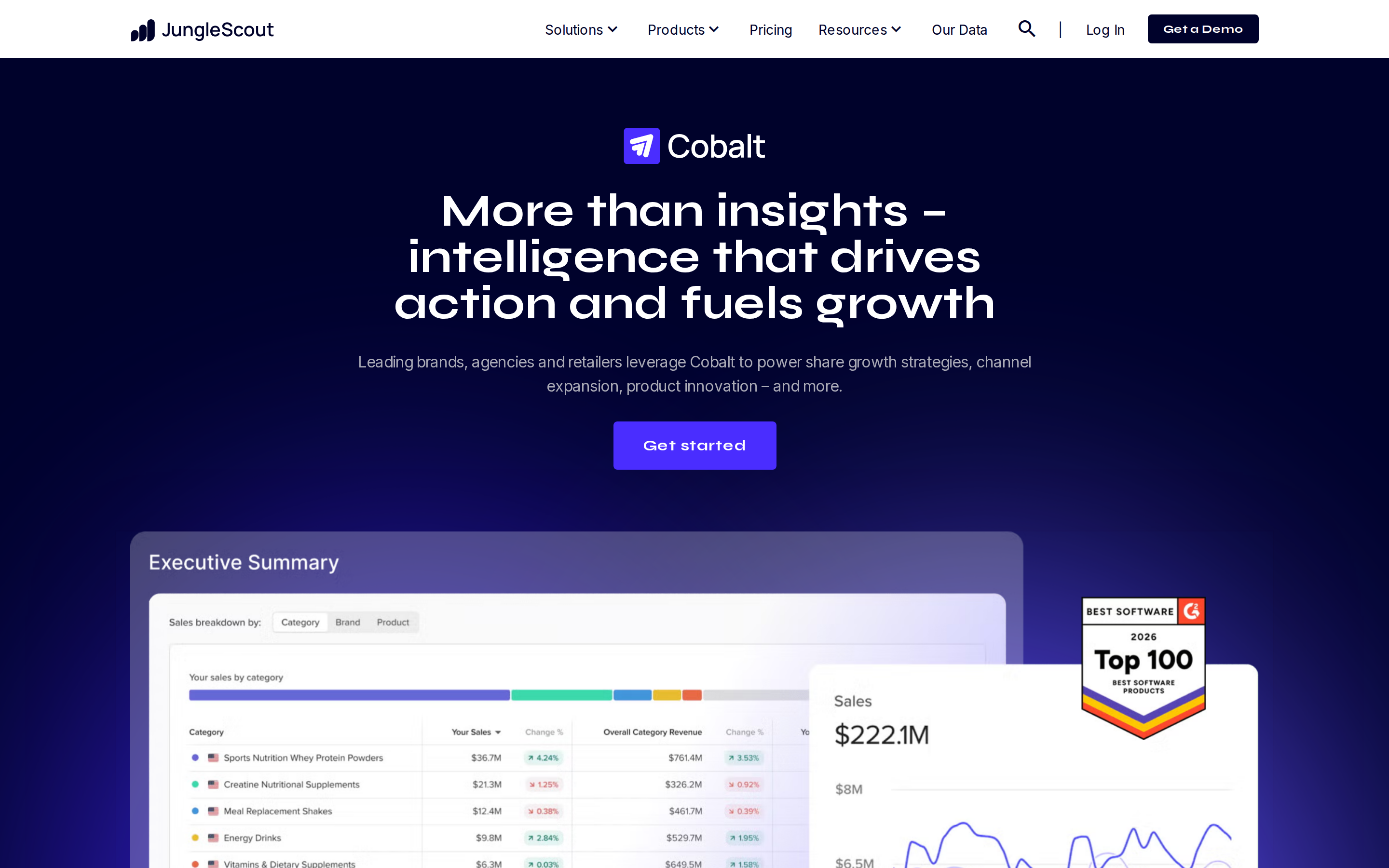
Jungle Scout Cobalt supports competitive benchmarking, market segmentation, pricing analysis, and product innovation on Amazon.
Its category and variant-level analysis can help brand teams examine which product attributes, formats, and price points are gaining traction. Seller-level insights also support investigation of distribution and Buy Box risks.
Cobalt is the relevant Jungle Scout offering for this comparison; buyers should distinguish it from the company’s seller-focused products.
Choose it when: Your team needs Amazon market intelligence to support assortment, pricing, and category decisions.
Important tradeoff: Test its coverage against your specific competitive set and confirm any requirements beyond Amazon. Strong Amazon intelligence does not establish equivalent coverage everywhere else.
4. Helium 10
Our Pick for Hands-On Amazon Seller Workflows
Helium 10 combines research, listing, advertising, and operational tools in a broad seller suite.
Cerebro supports competitor keyword research, Magnet helps discover keywords, and Keyword Tracker monitors rankings. Other tools cover listing optimization, inventory management, profitability, and advertising.
That breadth makes it worth considering if your main need is to research products and improve listings while managing an Amazon business.
Choose it when: The same team handles product research, keywords, listing optimization, and daily selling tasks.
Important tradeoff: Compare the exact plan and add-ons you need. A broad tool catalog does not mean every capability or usage allowance is included in one subscription.
5. Profitero
Our Pick for Digital Shelf Monitoring Across Retailers
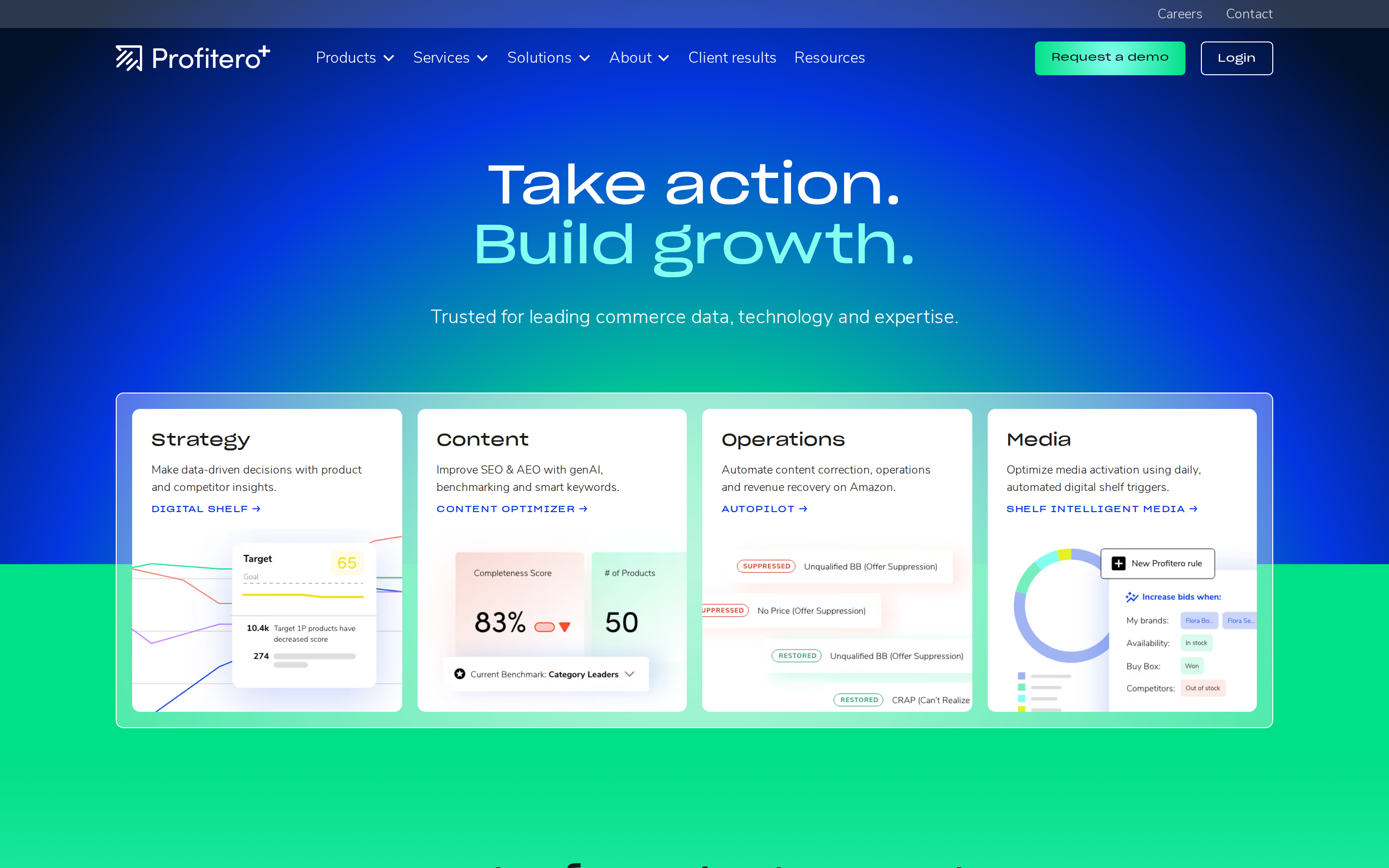
Profitero, now branded Profitero+, is worth considering for CPG brands managing product performance across retailer websites.
Its digital shelf offering helps teams monitor how products appear and compete online. The broader platform includes content optimization and Amazon sales estimates alongside other products.
For a brand with a large retail footprint, the central question may be whether products are available, discoverable, and presented correctly across its priority retailers.
Choose it when: Your digital shelf program extends across multiple retailers and needs a consistent monitoring process.
Important tradeoff: Scope the retailers, countries, products, and modules in the proposal. Broad platform coverage does not mean every dataset is part of your package.
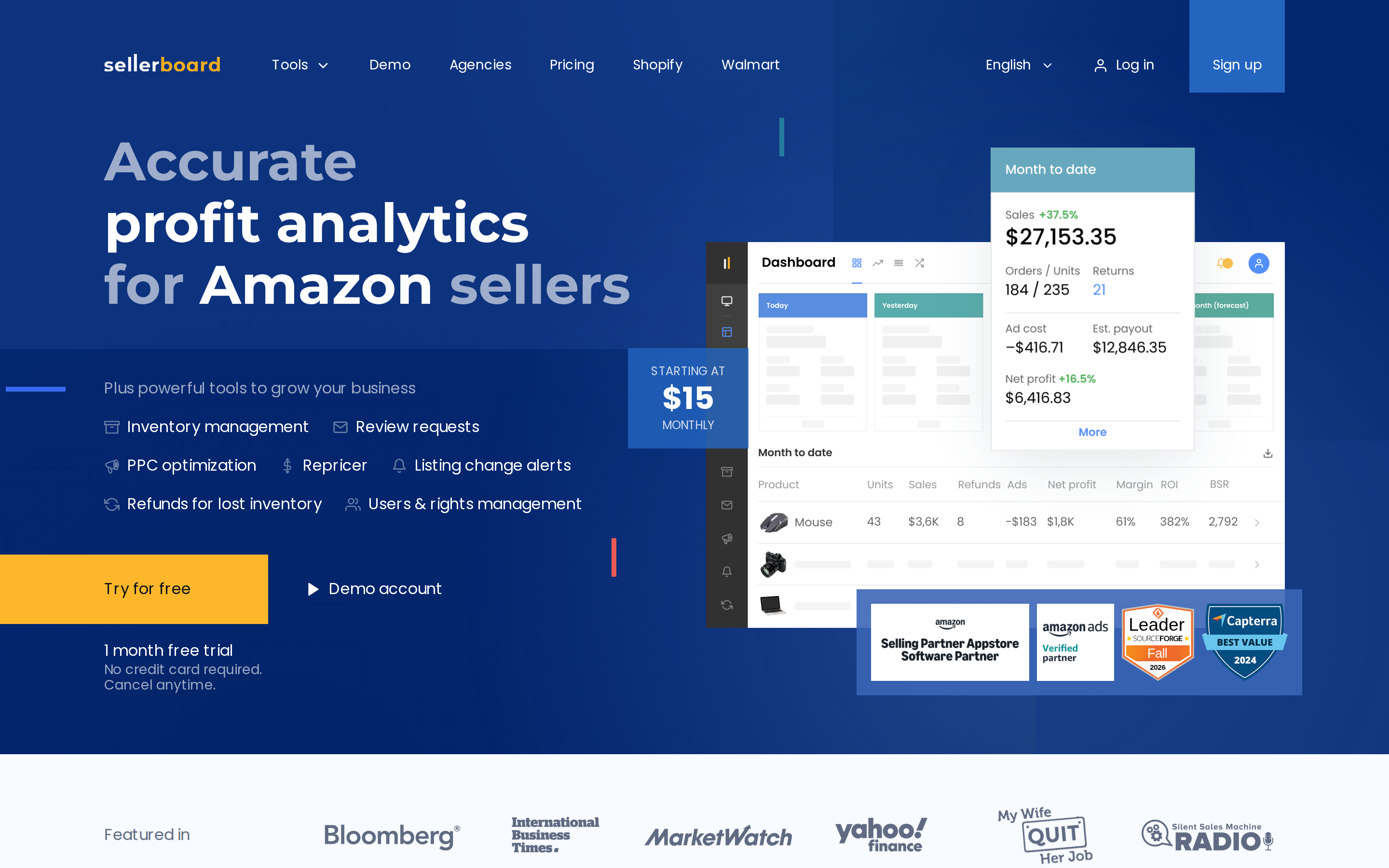
6. sellerboard
Our Pick for Profit-Focused Reporting
sellerboard is a focused alternative when your main question is how much money your Amazon business actually makes.
Its tools cover profit analytics, cost of goods, returns, indirect expenses, PPC analysis, and inventory management. This makes it relevant to sellers whose immediate priority is understanding margins and operational performance.
Choose it when: You need clearer profitability reporting for your own business.
Important tradeoff: It is a partial replacement for a broader analytics platform. Choose a dedicated market intelligence tool as well if competitor discovery and category sizing are essential.
How To Choose a DataHawk Alternative
Use a short evaluation based on your own business:
Name three decisions the tool must support. Examples include finding a new category, explaining margin changes, or producing client reports.
Test the same products and keywords. Compare relevant coverage, history, export options, and how quickly you can answer each question.
Separate estimates from account data. Competitor revenue estimates and connected account sales serve different purposes.
Price the complete workflow. Include required modules, tracking volumes, seats, integrations, and setup work.
Check migration requirements. Confirm what historical data you can export and which reports need rebuilding.
A useful demo ends with an answer to a business question, not just a tour of dashboards.
Find Your Next Growth Opportunity With SmartScout
If your priority is understanding competitors and finding room to grow, start with SmartScout. Explore the brands, products, sellers, and search terms shaping your market, then turn that research into a more informed growth plan.
FAQs
6 Best DataHawk Alternatives for Brands and Sellers