Professional vs. Individual: A Beginner's Guide to Amazon Seller Plans
Most Recent
Selling on Amazon
8.9.23
0
Min
If you want to learn the difference between individual and professional seller accounts, you’re in the right place.
This guide will help you understand the complexities of Amazon’s seller plans as well as their differences, so you can choose the one that best fits your situation.
Let’s get started.
What Is the Difference Between a Professional Account and an Individual Account on Amazon?
The main difference between the individual account and the professional account lies in the fees and features offered.
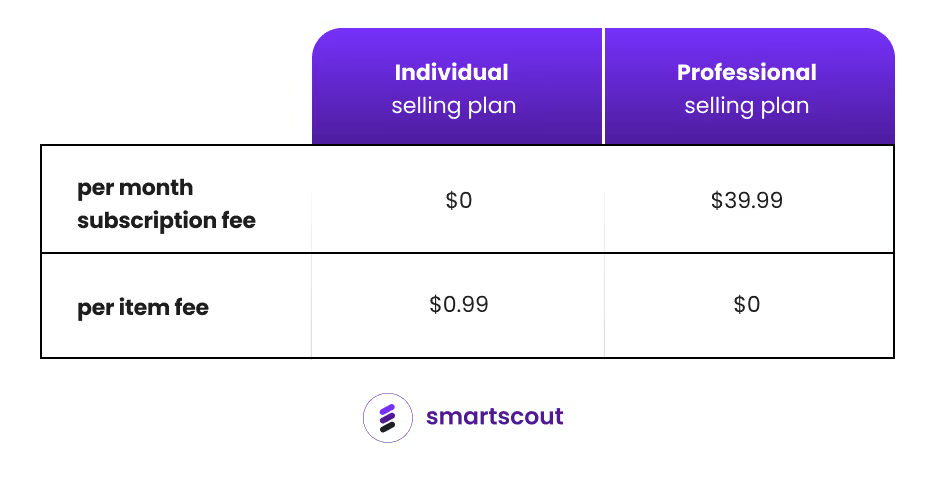
The individual plan is designed for sellers who sell fewer than 40 items per month and don't want to pay a monthly subscription fee. However, individual sellers pay a $0.99 fee for each item sold.
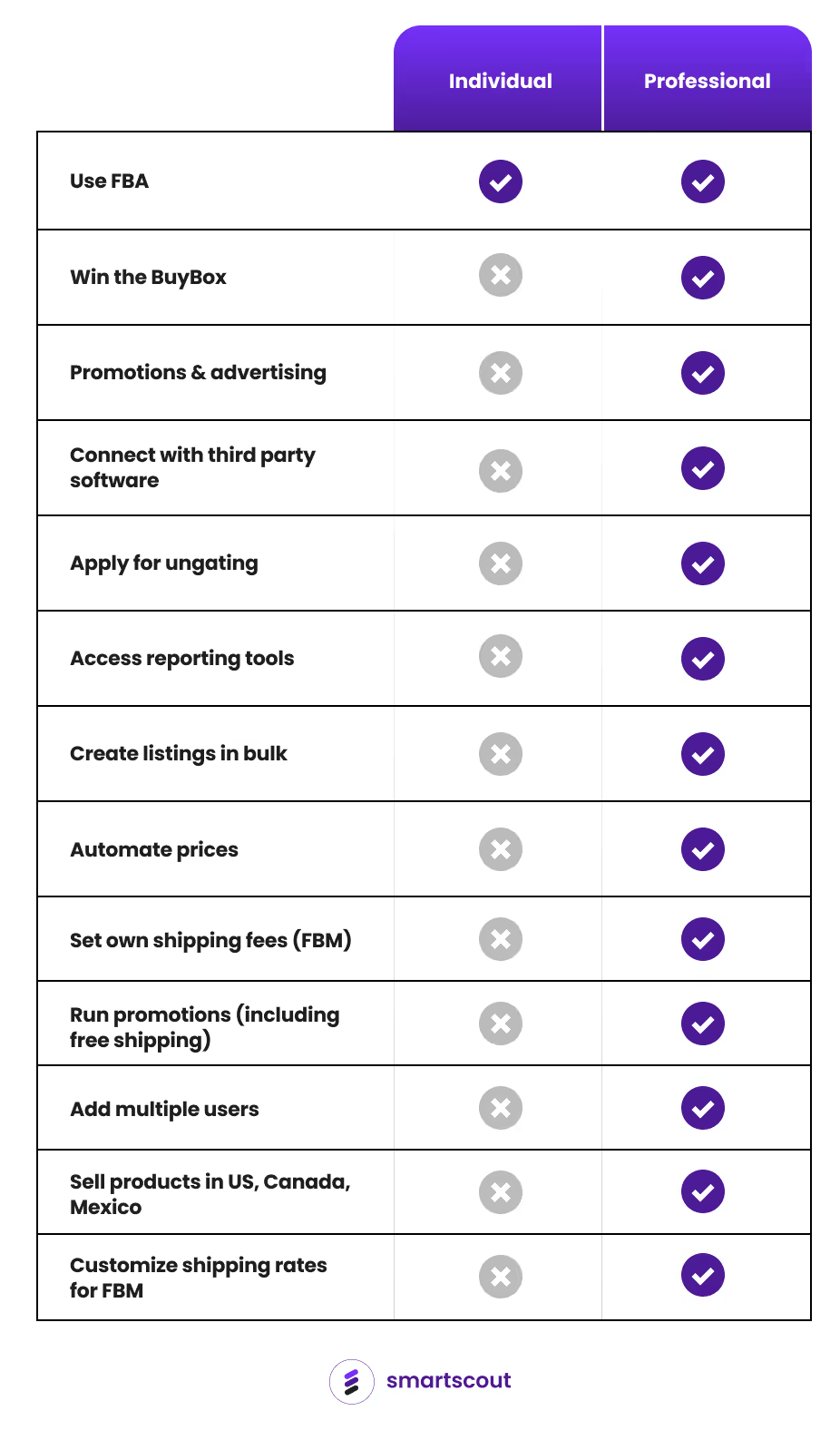
The professional plan is designed for sellers who plan to sell more than 40 items per month. It has a monthly subscription fee of $39.99, but professional sellers do not pay a per-item sold fee. Professional sellers can also access more features such as bulk listing, advertising, and eligibility for top placement on product detail pages.
Professional vs. Individual Seller Plan Fees Comparison
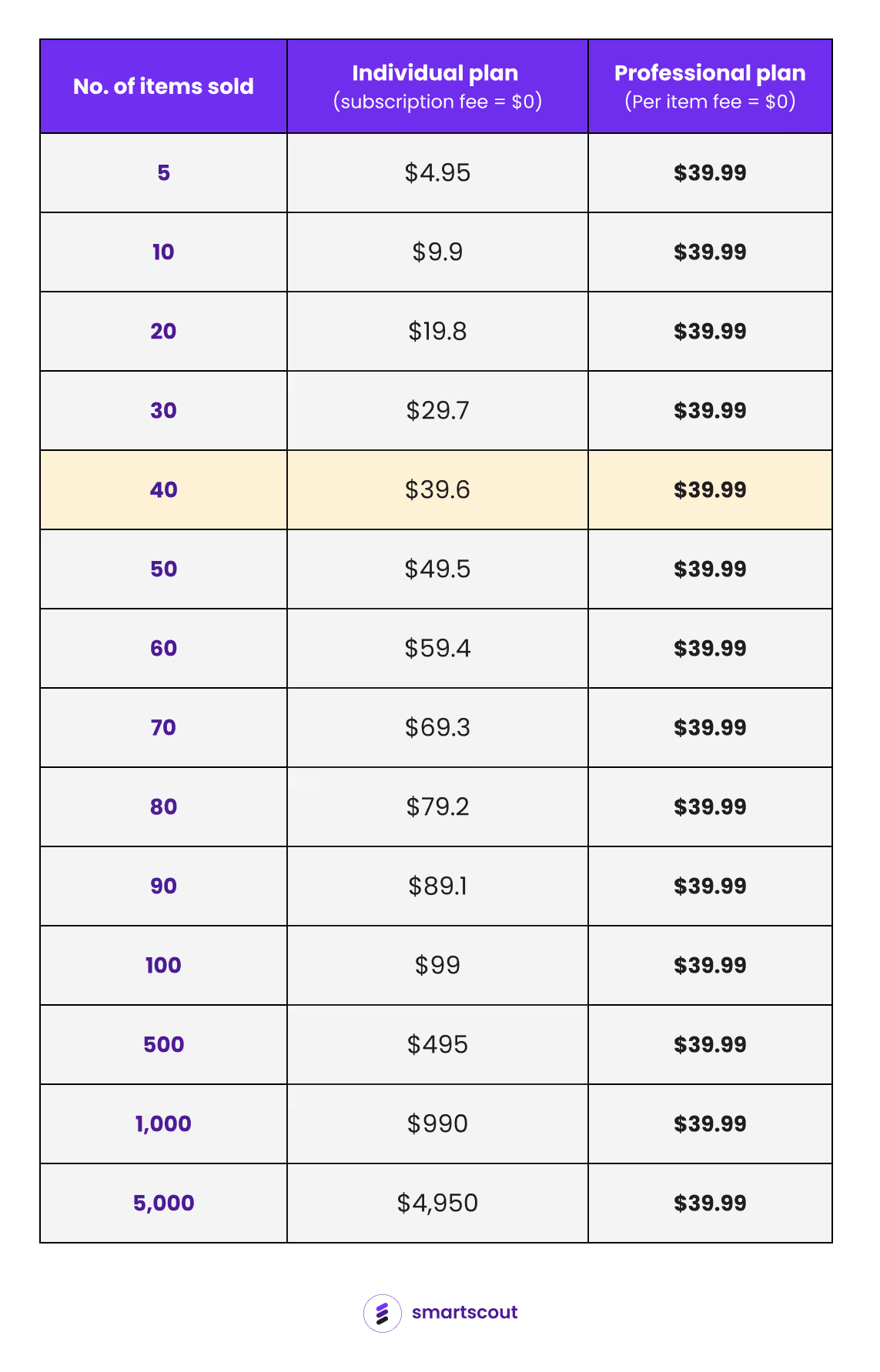
Here’s what the fees (subscription and per item) look like depending on the number of items you sell:
Key insights from the table:
Cheaper option: If you're selling 40 items or fewer per month, the individual plan is a better deal since the total per-item fees are less than the professional plan subscription fee. But once you sell more than 40 items, the professional plan becomes the cheaper option.
High savings for high-volume sellers: If you're selling hundreds or even thousands of items per month, the professional plan beats the individual plan in terms of savings from fees. And it’s not even close. Selling 1,000 items monthly would cost you a $990 per item fee with the individual plan. With the professional plan, you'd pay a flat fee of $39.99, no matter how many items you sell.
Predictable costs: With a flat monthly fee, the professional plan ensures consistent costs regardless of the number of items sold. It simplifies budget planning.
Now, let’s explore the difference in features of the two seller accounts.
What Are the Advantages of a Professional Seller Account Over an Individual Account?
Beyond eliminating the per-item fee, the professional seller account offers features that boost and support high-volume sales, such as:
Winning the Buy Box
Selling in gated categories
Integrating with third-party software
Advertising products
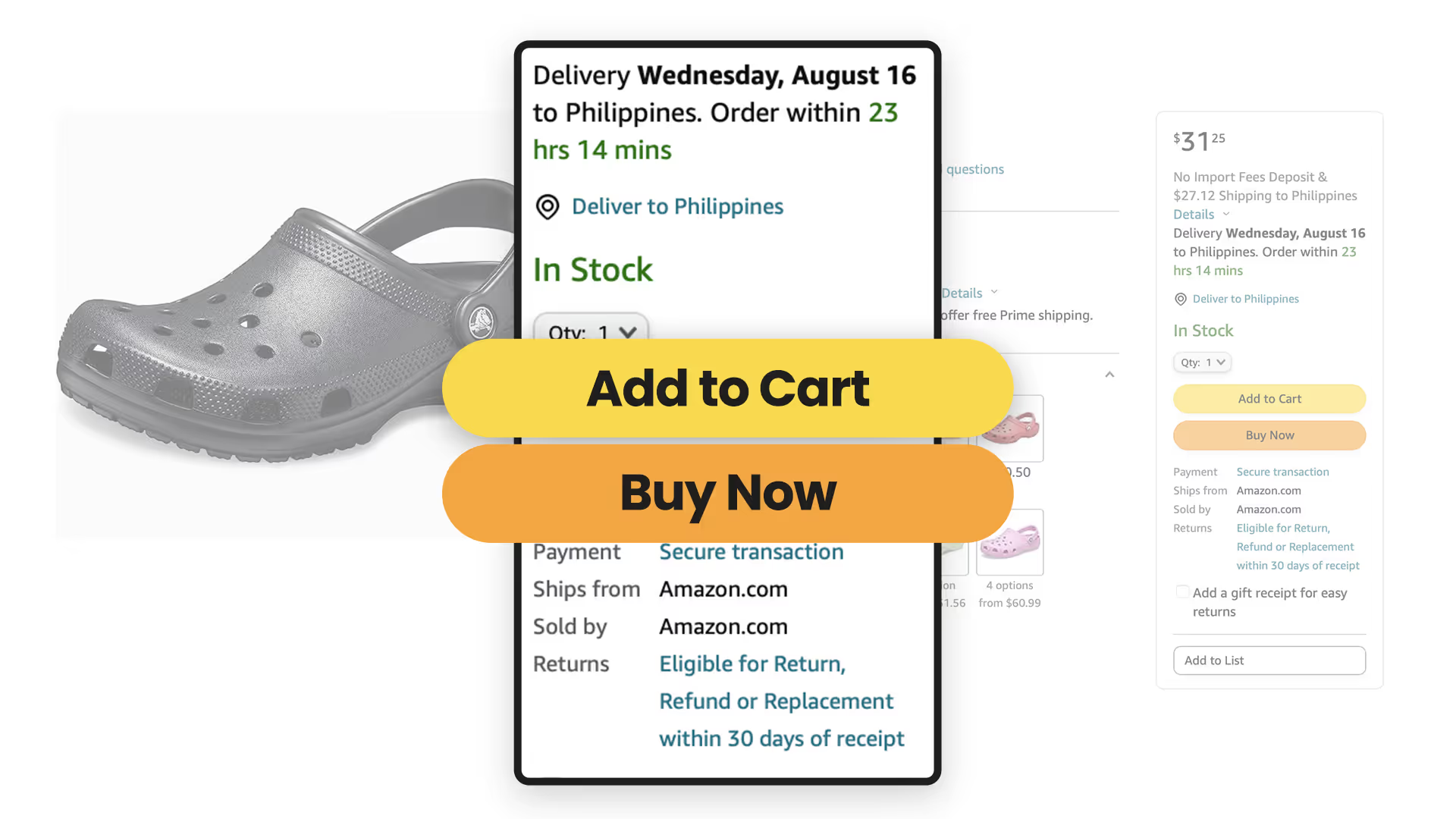
Win the Buy Box: Winning the Buy Box means getting the sale when customers click the “Add to Cart” or “Buy Now” button at the rightmost part of the product detail page.
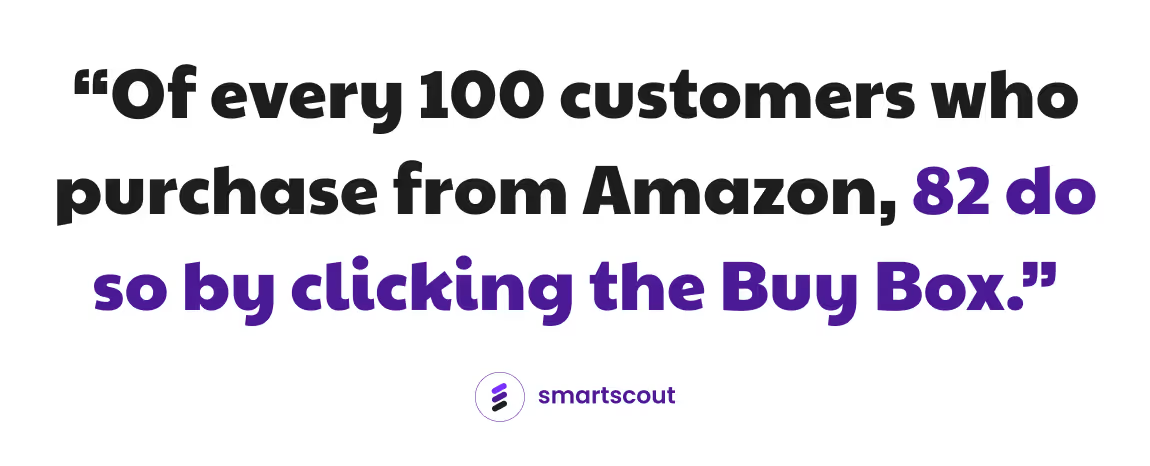
Of every 100 customers who purchase from Amazon, 82 do so by clicking the Buy Box. To illustrate the significance of this, consider that if 1,000 items were sold last week and you won the Buy Box for the entire week, you would have sold 820 of those products. This demonstrates the immense power of winning the Buy Box, a feature available exclusively to sellers with a professional plan.
Apply for ungating: Amazon restricts access to certain product categories, known as "gated" categories. Gated categories require approval to list items in them. This process of gaining access is called "ungating."
If you have a professional selling account, you can apply for ungating. By unlocking access to high-demand or high-profit categories, you can explore new opportunities and diversify your offerings.
Link account with third-party software: Third-party software tools help automate different aspects of your ecommerce operations. For example, one of the most popular tools among Amazon sellers is Inventory Lab. It helps with tracking accounting, making bookkeeping easier, speeding up the listing process, and simplifying the shipment creation process.
Without linking with a third-party software, you would have to manage all these tasks manually. Imagine yourself juggling multiple spreadsheets, manually updating your listings, and spending hours on bookkeeping. Not only are these activities time-consuming, but they also increase the risk of errors, which could lead to lost sales.
Advertise your products: Do you want a boost in visibility and sales? The professional seller account allows you to create sponsored product campaigns, positioning your items on the first page of search results.
If you've recently begun selling new products, leveraging this ability to overtake your competitors and appear ahead of them in search results can spark a surge in sales. The more sales you generate, the higher your product will rank in organic search results.
Can You Change Your Seller Plan on Amazon?
Yes, you can change your seller plan. Here’s how.
Simplified process to upgrade from the individual to the professional seller account:
Go to Settings.
Select Account Info.
Find the "Selling Plan" section, and click on Upgrade.
Simplified process to upgrade from the professional to the individual seller account:
Go to Settings.
Select Account Info.
Find the "Selling Plan" section, and click on Downgrade.
✍️ Note: If you downgrade your account, you will lose access to features exclusive only for the professional plan.
Which Seller Plan Is Right for You?
Consider your selling goals, budget, and commitment level:
Professional seller plan: Ideal if you sell more than 40 items per month. You will save money at this volume, and it's suited for serious business ventures. The cost is a $39.99 monthly subscription fee. If you can comfortably afford this fee, choose this plan.
Individual seller plan: Perfect if you sell fewer than 40 items per month or just explore the platform. It's a low-risk way to start, with no upfront fees. You only pay after selling an item.
Remember, you can switch to a different account type at any time. The most important thing is to begin.
Keepa is really good at what many Amazon sellers need: understanding a product’s price history and spotting changes before making a buying decision. For sellers who spend their day evaluating individual listings, it can be an important part of their workflow.
But sometimes your next business decision requires more than a product chart.
Which brands should you pursue? Who are the resellers competing across a brand’s catalog? How does one brand compare with the rest of its category? Where should you focus your sourcing or business development efforts?
That is where a different kind of Amazon research tool becomes valuable.SmartScout is our number-one Keepa alternative for sellers looking for higher-level, big-picture insights. Its Chrome extension includes price history, while the full platform helps you understand brands, resellers, products, and market opportunities together.
Below, we compare five options, explain where each fits, and cover when keeping Keepa still makes sense.
This comparison is published by SmartScout. We rank SmartScout first for brand, reseller, and market analysis; the best fit for your business depends on the decisions you need to make.
Best Keepa Alternatives at a Glance
These tools address different needs. Some focus on price tracking, while others expand into sourcing or broader Amazon research.
Tool or service
Best fit
Main function
Main consideration
1. SmartScout Rating Booster
Sellers who want routine requests handled automatically
Triggers Amazon’s official review requests
Focused on making requests easy; does not guarantee reviews
2. Amazon Request a Review
Low-volume sellers who prefer a manual option
Sends Amazon’s standard request from Seller Central
Requires someone to handle the manual process
3. Amazon Vine
Eligible products building an initial review base
Provides products to Amazon-selected reviewers
Eligibility, inventory costs, and possible enrollment fees
4. FeedbackFive
Teams that want requests and reputation monitoring
Automates requests and monitors reviews and seller feedback
Compare monitoring needs and plan allowances
5. FeedbackWhiz
Sellers who want more campaign options
Official requests or custom messaging workflows
More choices require more configuration decisions
6. Helium 10 Follow-Up
Sellers already using Helium 10
Review requests and post-purchase communication
Check access within the current subscription offering
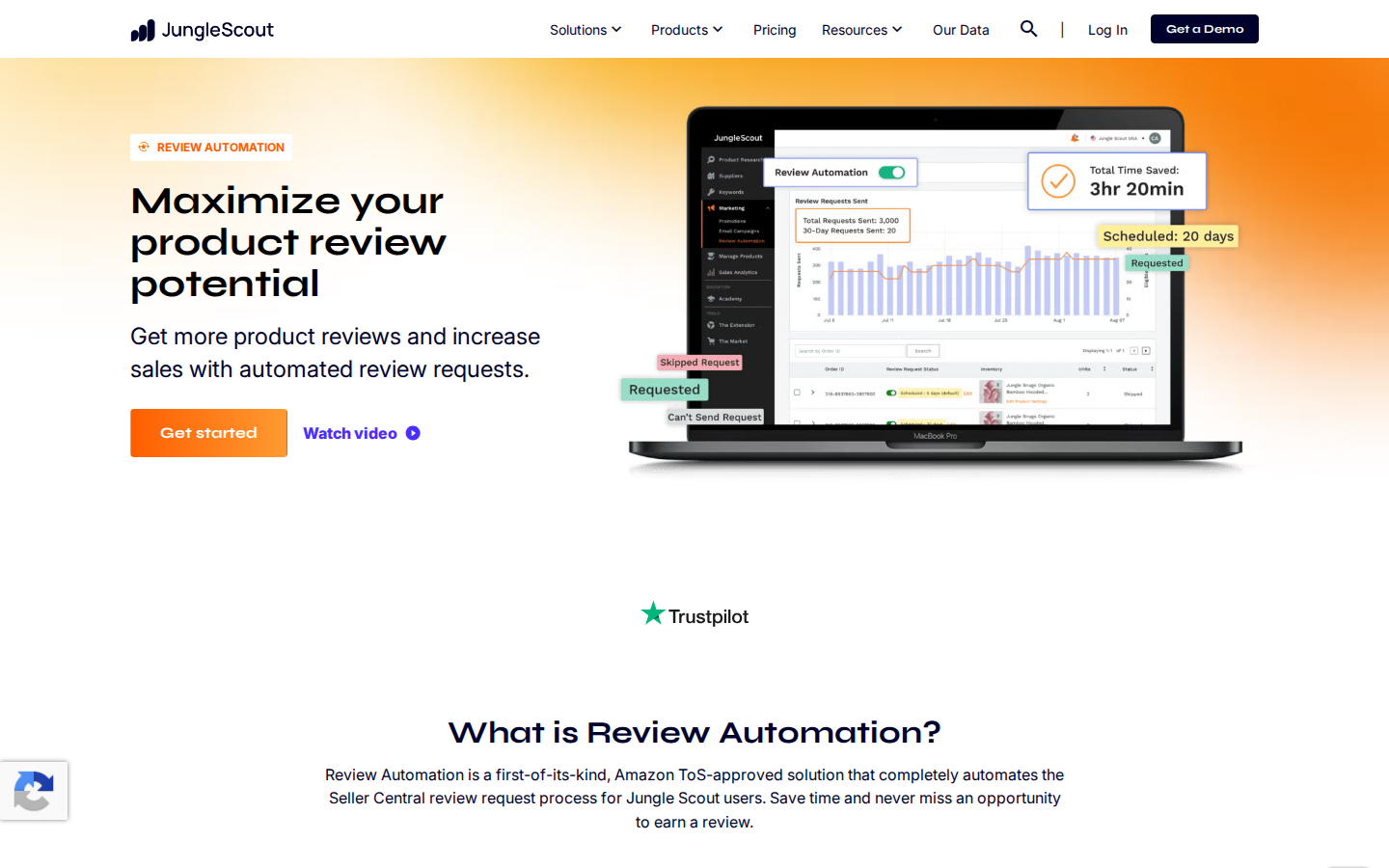
7. Jungle Scout Review Automation
Sellers already using Jungle Scout
Automates Seller Central review requests
May overlap with a tool you already use
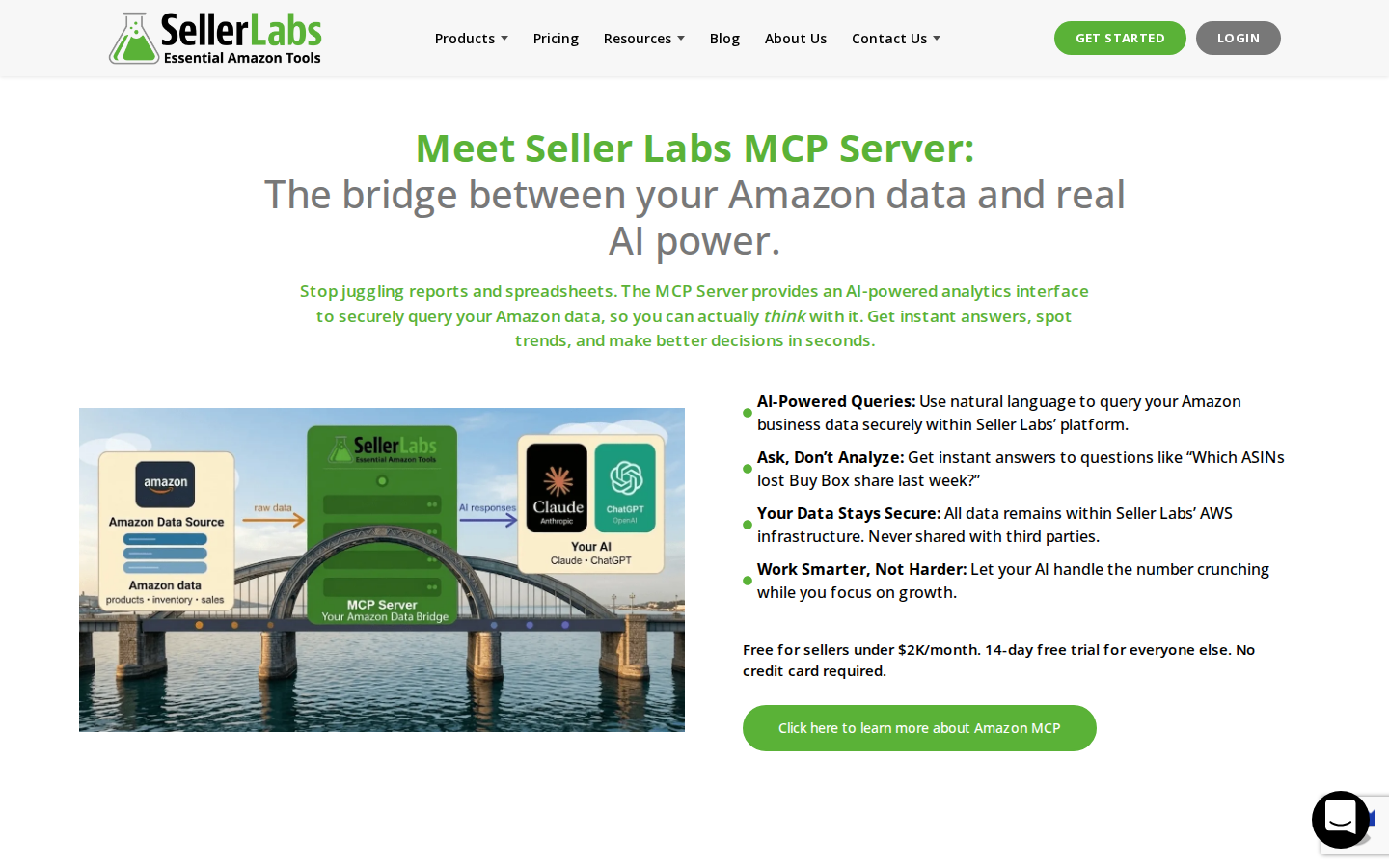
8. Seller Labs Feedback Genius
Teams managing buyer communication workflows
Review requests and seller feedback outreach
Match the workflow to your communication needs
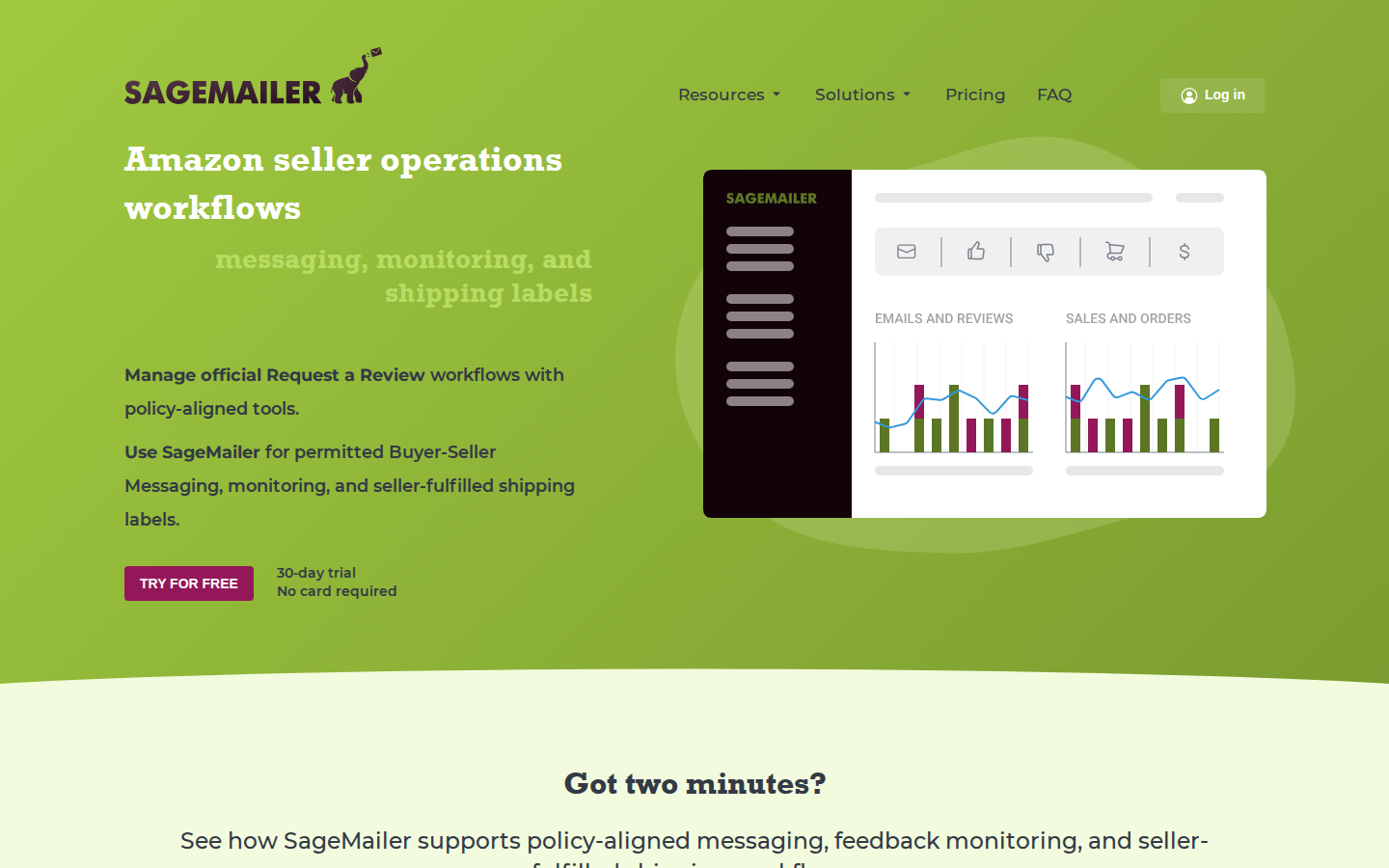
9. SageMailer
Sellers seeking requests plus messaging options
Official requests and permitted buyer messaging
Evaluate message allowances and settings
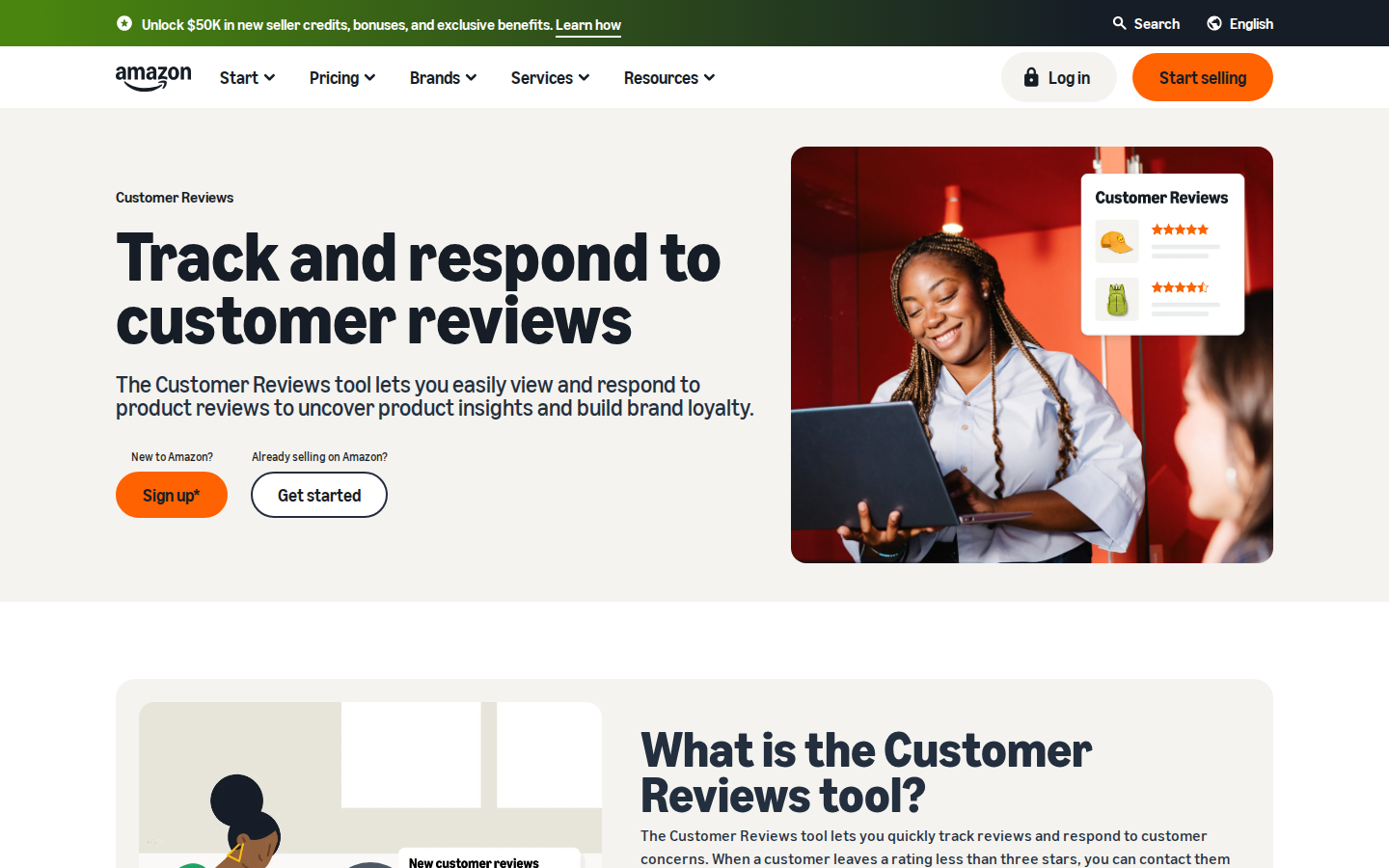
10. Amazon Customer Reviews tool
Eligible brands monitoring customer issues
Review visibility and eligible customer support outreach
Helps manage existing reviews; not a request automation replacement
1. SmartScout: Best for Brand, Reseller, and Big-Picture Insights
If you are researching Keepa alternatives because you want to understand more of the Amazon marketplace, start withSmartScout.
A product’s price history can help you decide whether an individual opportunity deserves attention. SmartScout helps you move from that listing to the larger business opportunity around it.
Price history in the SmartScout Chrome extension
TheSmartScout Chrome extension brings product research into your Amazon browsing workflow. Its history charts include Buy Box and Amazon pricing, alongside metrics such as offer count, ratings, and sales rank.
That gives you historical context when looking at a listing. A current price is only one snapshot; seeing how it has moved can help you ask better questions before committing to inventory.
The extension is a useful starting point. The bigger difference appears when you move into the full SmartScout platform.
Understand the resellers behind a brand
A brand with attractive products may still be difficult to compete on. You need to understand the sellers already participating in that brand and the broader competitive environment.
SmartScout’s brand and seller analytics help you investigate the resellers it tracks across a brand, explore seller catalogs, and compare their presence in the marketplace. Instead of checking listings one at a time, you can build a broader picture of who sells what.
That research supports questions such as:
Which resellers are active across this brand’s products?
What other brands do those sellers carry?
Which sellers deserve closer competitive research?
Is this brand worth a deeper sourcing conversation?
For a wholesaler, that can help prioritize potential accounts. For a brand or agency, it can help identify reseller activity that deserves further investigation. A seller appearing in the data does not, by itself, establish whether that seller is authorized.
See the market above the individual listing
SmartScout also connects brand research with category and subcategory analysis, estimated revenue, and market share. These views help you assess where a brand sits within a larger opportunity.
Imagine finding one promising product from a household goods brand. Before placing an order, you may want to assess the rest of its catalog, research competing resellers, and compare that brand with others in the same market.
That is the kind of decision SmartScout is built to support: where to focus your business, as well as which product to investigate next.
SmartScout vs. Keepa: which is better?
For higher-level brand, reseller, and market insights, SmartScout is the better fit. Its strength is connecting those views in one research platform.
Keepa remains a strong choice when detailed product history is central to your daily work. SmartScout’s extension includes price history, but that does not mean every Keepa chart, alert, or data field has a one-for-one equivalent.
Some sellers will choose SmartScout as their primary research tool. Others will use SmartScout to discover and evaluate broader opportunities, then use Keepa for additional product-level due diligence.
Best for: Wholesale sellers, brands, agencies, and Amazon businesses that want to understand the competitive landscape beyond individual ASINs.
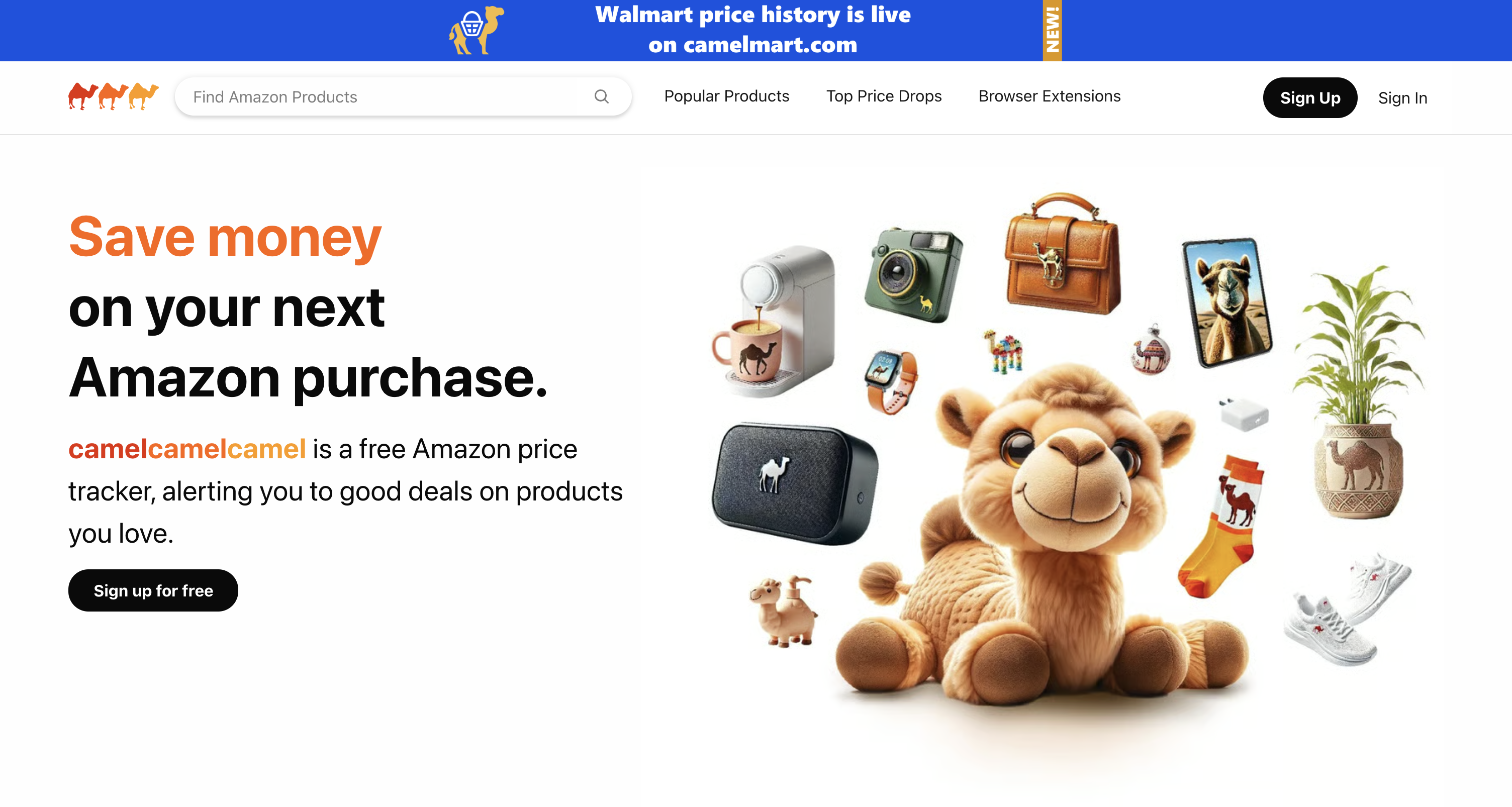
2. CamelCamelCamel: Best for Simple Amazon Price Tracking
CamelCamelCamel offers Amazon price history and price-drop alerts. If your main question is whether a product has become cheaper—or whether today’s price is unusually high—it is a straightforward option to consider.
Its appeal is simplicity. You do not need a broad marketplace research workflow just to monitor a purchase price.
Why consider it: Free price tracking and alerts for basic monitoring.
The trade-off: It is not a substitute for the brand, reseller, and market analysis discussed above. Sellers making inventory decisions may need additional research beyond price movement.
Best for: Shoppers and users whose main requirement is basic Amazon price history and alerts.
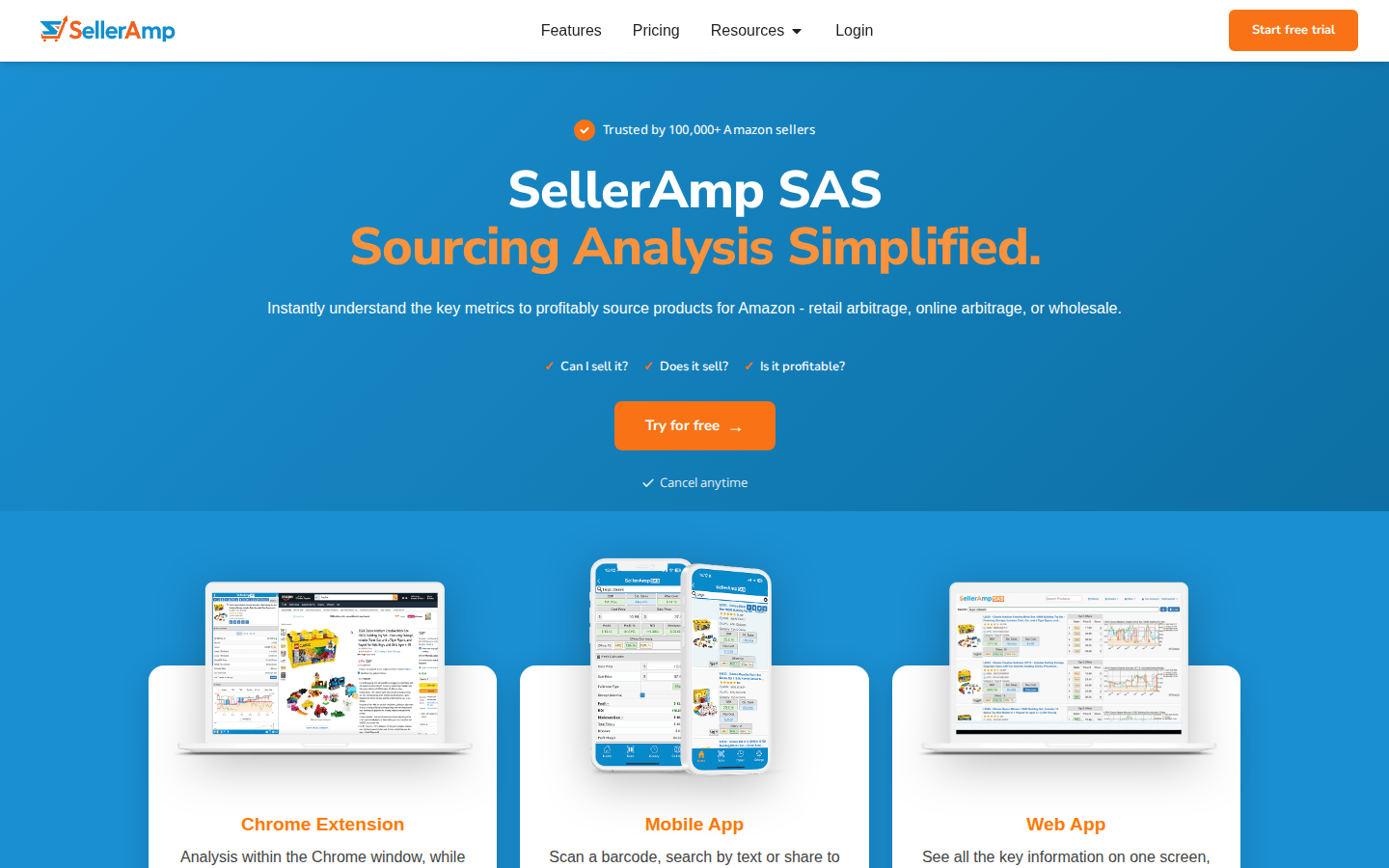
3. SellerAmp SAS: Best for Arbitrage Sourcing Workflows
SellerAmp SAS brings profitability analysis and sourcing information into a workflow for evaluating potential inventory purchases. Its web app includes a profit calculator, offers, alerts, rank and price information, and charts.
There is an important distinction for anyone comparing SellerAmp vs. Keepa: SellerAmp integrates Keepa-powered charts. It is an alternative way to work with sourcing information, rather than an independent replacement for Keepa’s underlying historical data.
If you want to evaluate a potential purchase with several sourcing checks in one place, that approach may fit your process well.
Why consider it: Convenient product-level sourcing and profitability analysis.
The trade-off: If your goal is to stop relying on Keepa data entirely, SellerAmp’s integrated charts do not accomplish that.
Best for: Retail and online arbitrage sellers evaluating individual purchasing opportunities.
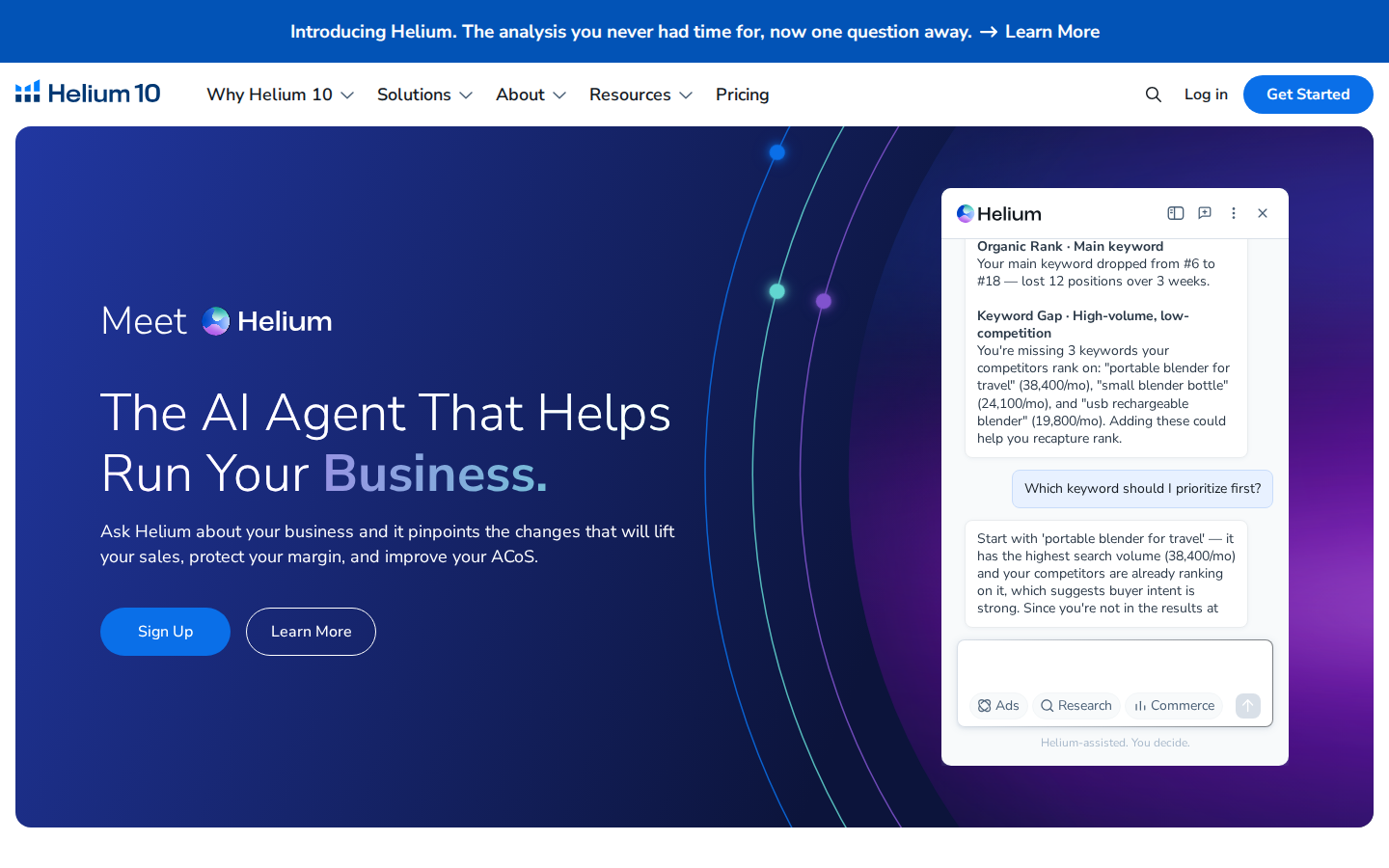
4. Helium 10: Best for Product and Keyword Research
Helium 10 is worth considering when your needs extend from product analysis into keyword research. Its Chrome extension includes Xray for researching products on Amazon, and Xray Keywords supports keyword research in the browser.
That makes it relevant for sellers who want to investigate product opportunities and the search terms associated with them.
Why consider it: A broader product and keyword research workflow.
The trade-off: A larger research toolkit serves a different purpose from a dedicated historical price tracker. Compare the specific features you use in Keepa before assuming a broader subscription replaces them.
Best for: Sellers whose research priorities include both products and keywords.
5. Jungle Scout: Best for Product Discovery and Validation
Jungle Scout combines a web application with a browser extension for Amazon research. Its extension provides product metrics and historical information, helping sellers evaluate opportunities while browsing Amazon.
A typical use case is discovering an idea through the web application and then examining similar listings through the extension to assess the surrounding market.
Why consider it: A connected workflow for finding product ideas and validating demand.
The trade-off: Historical product information does not automatically provide the same chart coverage or tracking workflow as Keepa. Choose based on the research tasks you actually need to complete.
Best for: Sellers exploring new products and comparing potential opportunities.
When Does It Make Sense to Keep Using Keepa?
A fair list of Keepa alternatives should acknowledge thatKeepa may already be a good fit.
If product price history and price-drop alerts are your main requirements, there may be no reason to change your workflow. Keepa also offers seller-oriented data tools beyond basic price charts, so it would be misleading to describe it as only a shopping price tracker.
The reason to consider SmartScout is the level at which you want to make decisions.
You might begin with a product question: “Does this listing deserve further research?” As your business grows, you may spend more time asking: “Which brands, sellers, and markets should we focus on?”
SmartScout is particularly useful for that second set of questions.
How to Choose the Right Keepa Alternative
Start with the work you want the software to help you do:
Understand brands and their resellers: Start with SmartScout.
Track a purchase price and receive alerts: Consider CamelCamelCamel.
Evaluate arbitrage purchases: Consider SellerAmp SAS, recognizing its use of Keepa data.
Research products and keywords: Consider Helium 10.
Discover and validate product ideas: Consider Jungle Scout.
Before switching, compare marketplace coverage, historical data availability, plan access, and the exact features you rely on. Sales and revenue estimates should be treated as estimates, not audited results.
Go From Product History to a Bigger View of Amazon
Keepa is a strong tool for many sellers. If it already answers your questions, it can remain part of your process.
If you want price history plus a clearer understanding of brands, the resellers behind them, and the markets they compete in, SmartScout is the Keepa alternative to start with.
Explore SmartScout and see how product-level research connects to your next business opportunity.
Getting more Amazon product reviews starts with a simple task: giving customers an opportunity to share their experience. The challenge is doing it consistently while running the rest of your business.
The best Amazon product review tools help sellers request reviews, monitor customer feedback, or build an initial base of reviews for eligible products. Those are different jobs, and the right choice depends on which one you need done.SmartScout’s Rating Booster is our top pick for sellers who want straightforward review request automation. It handles the routine work through Amazon’s official request system, so Amazon sends the message. Amazon Vine is worth considering for eligible products that need initial reviews, while dedicated feedback platforms offer additional monitoring and messaging capabilities.
Below, we compare 10 tools and services, explain their advantages, and show how to choose a practical review workflow.
Editorial disclosure: This guide is published by SmartScout, which offers Rating Booster. Our recommendations reflect the use cases described below and a review of official product documentation, not a controlled head-to-head performance test. Features and eligibility were checked in September 2026; confirm current plan details before subscribing.
Best Amazon Product Review Tools at a Glance
Tool or service
Best fit
Main function
Main consideration
1. SmartScout Rating Booster
Sellers who want routine requests handled automatically
Triggers Amazon’s official review requests
Focused on making requests easy; does not guarantee reviews
2. Amazon Request a Review
Low-volume sellers who prefer a manual option
Sends Amazon’s standard request from Seller Central
Requires someone to handle the manual process
3. Amazon Vine
Eligible products building an initial review base
Provides products to Amazon-selected reviewers
Eligibility, inventory costs, and possible enrollment fees
4. FeedbackFive
Teams that want requests and reputation monitoring
Automates requests and monitors reviews and seller feedback
Compare monitoring needs and plan allowances
5. FeedbackWhiz
Sellers who want more campaign options
Official requests or custom messaging workflows
More choices require more configuration decisions
6. Helium 10 Follow-Up
Sellers already using Helium 10
Review requests and post-purchase communication
Check access within the current subscription offering
7. Jungle Scout Review Automation
Sellers already using Jungle Scout
Automates Seller Central review requests
May overlap with a tool you already use
8. Seller Labs Feedback Genius
Teams managing buyer communication workflows
Review requests and seller feedback outreach
Match the workflow to your communication needs
9. SageMailer
Sellers seeking requests plus messaging options
Official requests and permitted buyer messaging
Evaluate message allowances and settings
10. Amazon Customer Reviews tool
Eligible brands monitoring customer issues
Review visibility and eligible customer support outreach
Helps manage existing reviews; not a request automation replacement
Product Reviews vs. Seller Feedback: What Is the Difference?
Amazon product reviews evaluate the product. Seller feedback evaluates the purchasing experience with the seller. A comment about a blender’s performance belongs in a product review. A comment about the seller’s service belongs in seller feedback.
This distinction matters when comparing Amazon review software. Some products handle both, and a feature described as “feedback management” may not do everything you expect for product reviews.
1. SmartScout Rating Booster: Best for Simple Amazon Review Request Automation
Review requests are an easy task to understand and an easy task to forget.
SmartScout Rating Booster removes that recurring job. Connect your Amazon seller account, enable the feature, and it automatically triggers Amazon’s official Request a Review process for eligible orders.
SmartScout initiates the request. Amazon sends the message.
You do not need to write a review solicitation email, maintain a sequence, or remember to click through orders. That is why Rating Booster takes the top spot in this guide: it gets the straightforward part done for you.
Why the Amazon-generated message matters
Writing your own solicitation introduces decisions about wording, tone, and what you are allowed to ask. Rating Booster uses Amazon’s native request instead. You are not composing a message asking for five stars or offering an incentive.
That makes the request workflow simpler and reduces the concern associated with drafting your own solicitation. It does not make every other activity in your account automatically compliant; inserts, promotions, and separate customer communications still need to follow Amazon’s policies.
Who should choose it?
Rating Booster is a strong fit when your priority is consistent requests with little ongoing work, especially if you already use SmartScout for your Amazon business.
Other tools in this guide also automate Amazon’s official request. Our recommendation is about the simplicity of the workflow, not a claim that SmartScout has exclusive access to an approved method.
Main limitation: A request is an invitation. Customers decide whether to respond and what rating to leave. Automation cannot guarantee a review count or a higher star rating.
2. Amazon Request a Review: Best Manual Option Without a Separate Software Subscription
Amazon’s own Request a Review feature is the starting point for understanding this category. It lets sellers request a product review and seller feedback through Amazon’s standardized message.
Amazon states that the feature can be used once per order within the eligible window of 5–30 days after delivery. Order eligibility still applies.
Its advantage: You can use the native workflow without buying a separate review automation subscription. For a seller handling relatively few orders, that may be enough.
Its limitation: Someone has to perform the manual task. As orders grow, the cost becomes staff time and missed requests rather than just software expense.
Choose this option when order volume is low and the process is manageable. Choose automation when the task repeatedly falls off your to-do list.
3. Amazon Vine: Best for Eligible Products That Need Initial Reviews
Amazon Vine serves a different purpose from a review autoresponder. Sellers enroll eligible products, and Amazon-selected Vine Voices can receive those products to provide independent reviews.
That makes Vine worth evaluating when a product has little review history and ordinary sales have not yet produced many reviews.
How to Enroll a Product in Amazon Vine
What to Do
Key Detail
Go to Vine in Seller Central.
Open the Vine enrollment area where eligible products can be submitted.
Enter the ASIN and click Begin enrollment.
Make sure the product meets Amazon Vine restrictions before continuing.
Verify the product information.
Review the enrollment details page carefully before moving forward.
Choose the units or variations to enroll.
For a standalone ASIN, enter 1 to 30 units. For a product set, add the eligible variations you want Vine Voices to request.
Review your selections before submitting.
Once enrollment is submitted, you cannot add or remove variations or update the number of enrolled units.
Click Enroll and review the fee and terms.
Check the enrollment fee and read the program Terms and Conditions.
Click Enroll again to complete the process.
After completion, enrolled products will appear in the Vine dashboard for tracking.
Its advantage: It offers an Amazon-operated route for introducing eligible products to reviewers. It can complement a request tool that handles regular customer orders.
Its limitation: Participation depends on current eligibility rules. Evaluate the cost of supplied inventory, applicable fees, and fulfillment costs. Reviewers can leave critical feedback, and enrollment does not guarantee positive reviews.
Use Vine when the product is ready for honest scrutiny. If packaging, instructions, or reliability still need work, address those issues first.
4. FeedbackFive: Best for Requests Plus Reputation Monitoring
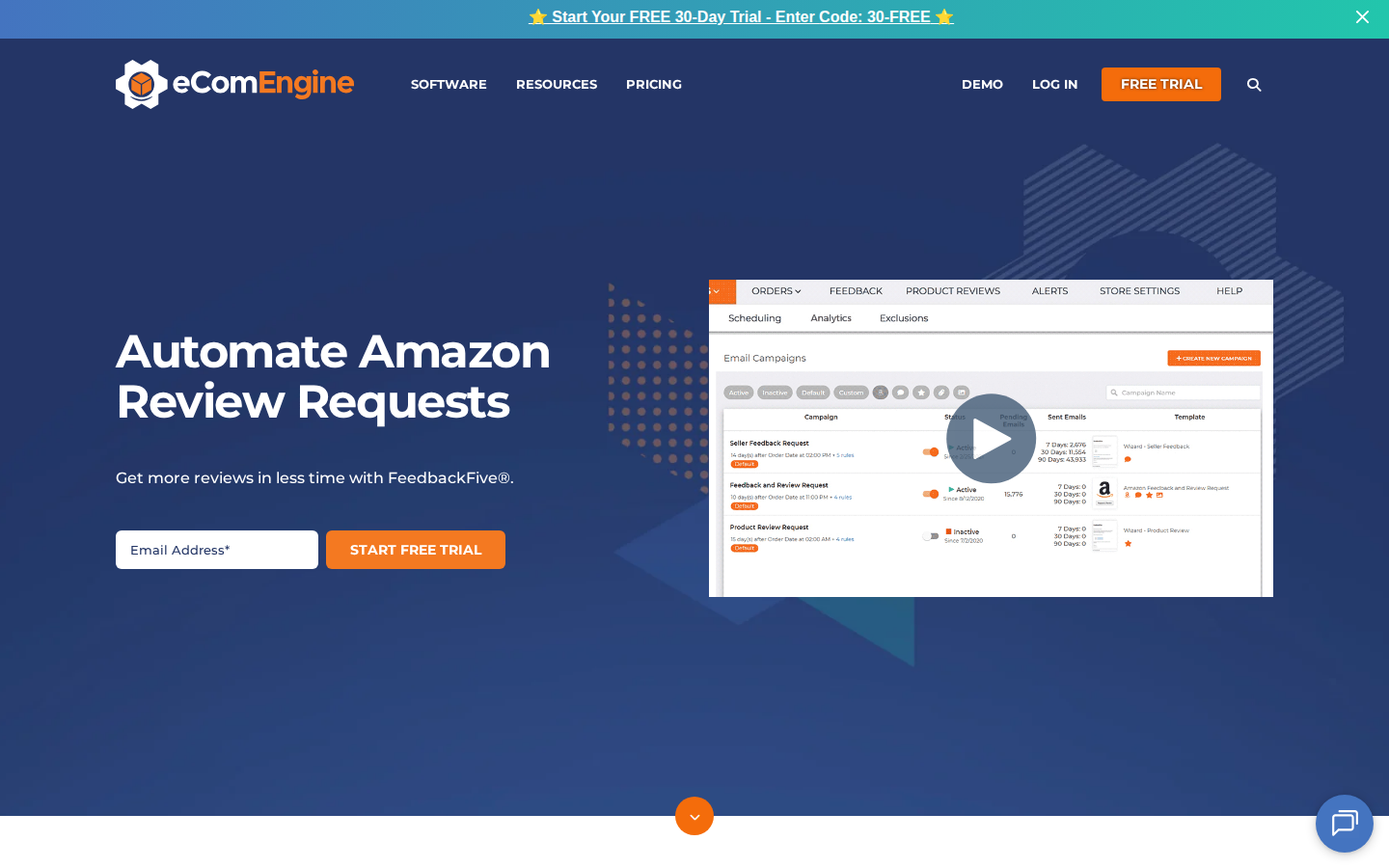
FeedbackFive from eComEngine combines Amazon Request a Review automation with monitoring for product reviews and seller feedback.
Its advantage: Teams can consider both sides of the process: asking customers for feedback and paying attention to what customers publish. This is useful when several people share responsibility for the customer experience.
Its limitation: A broader monitoring workflow may be more than you need if your only goal is to stop sending requests manually. Compare plan allowances against your order volume and monitoring requirements.
Choose FeedbackFive when review visibility is part of the purchase decision, alongside request automation.
5. FeedbackWhiz: Best for Sellers Who Want Campaign Flexibility
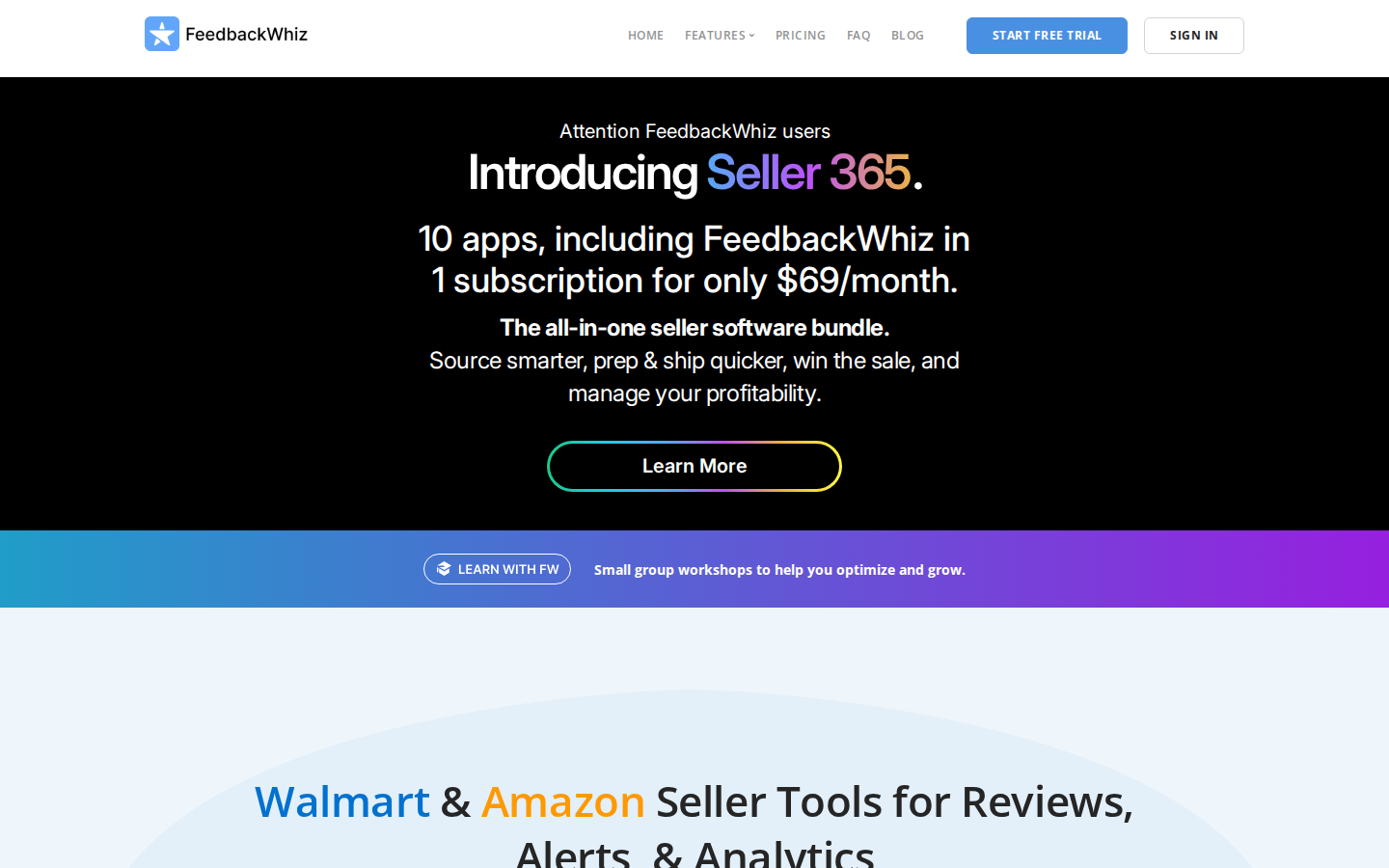
FeedbackWhiz offers two approaches: automation of Amazon’s Request a Review functionality and custom review request messaging through Buyer-Seller Messaging.
Its advantage: Sellers who need more control over permitted customer communication can evaluate those options in one platform, with campaign automation and analytics.
Its limitation: More configuration creates more decisions. Custom messages require attention to Amazon’s communication rules; they are different from Amazon-generated requests.
Choose FeedbackWhiz if campaign flexibility matters to your operation. If it does not, a simpler official-request workflow may meet your needs with less setup.
6. Helium 10 Follow-Up: Best for Existing Helium 10 Users
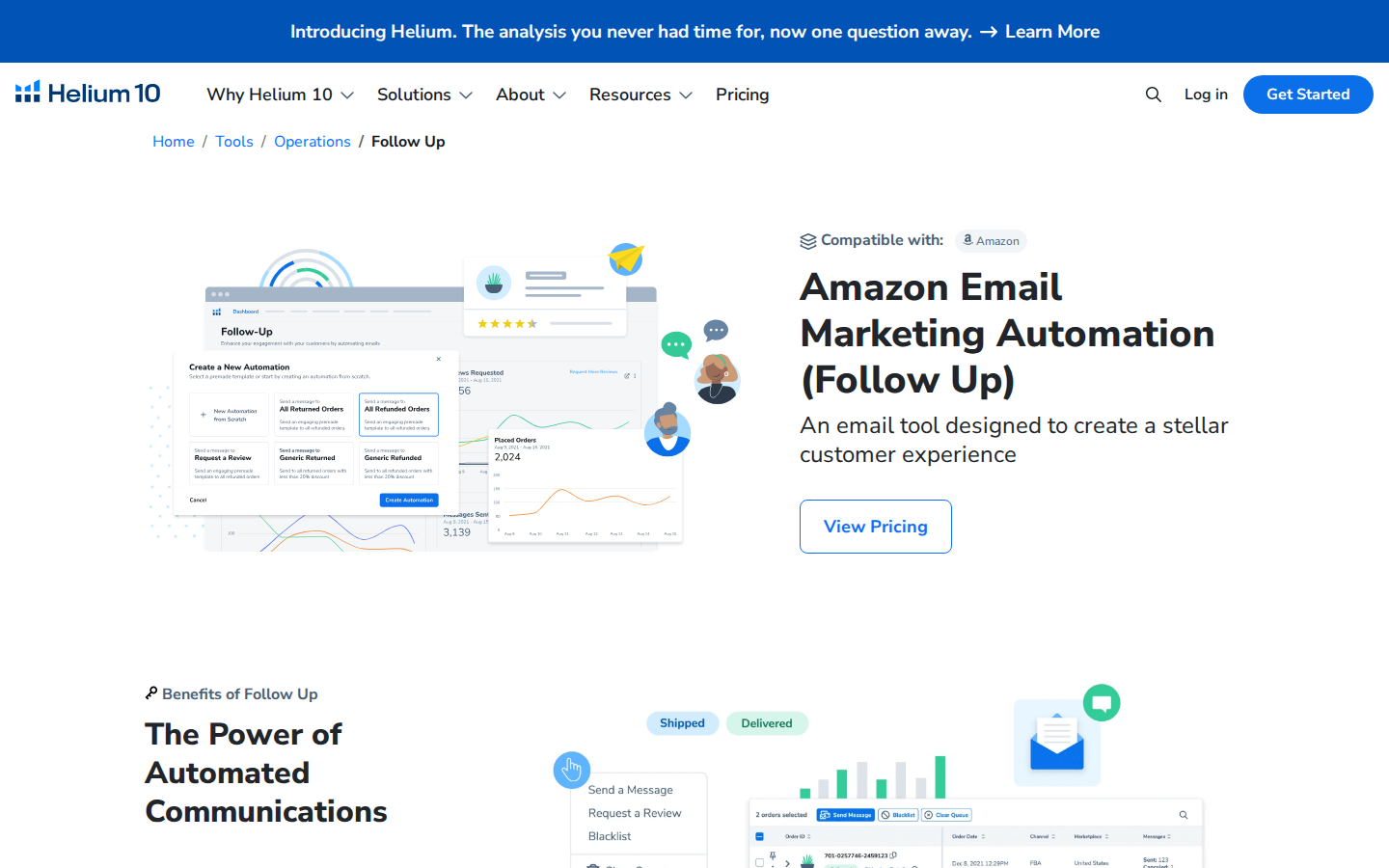
Helium 10 Follow-Up supports post-purchase communication, including review request workflows and message automation. Its documentation also covers automated and manual Amazon review requests.
Its advantage: Sellers already using Helium 10 can evaluate review requests within a familiar software environment.
Its limitation: The value depends on your subscription and which features you actually use. Check current access and allowances instead of assuming every plan includes everything.
Choose Follow-Up when it fits your existing Helium 10 setup. If you only need requests, compare the cost and effort of the full offering against a focused alternative.
7. Jungle Scout Review Automation: Best for Existing Jungle Scout Users
Jungle Scout Review Automation automates the Seller Central review request process. Its setup documentation instructs users to connect their accounts and activate the feature.
Its advantage: Jungle Scout customers can handle review automation within a platform they may already use for other selling tasks.
Its limitation: It can overlap with another request tool. Check what is already active before adding a second automation.
Choose Jungle Scout’s option if it is available in your subscription and meets your requirements. A seller who already has an effective request workflow should identify a specific benefit before switching.
8. Seller Labs Feedback Genius: Best for Buyer Communication Workflows
Seller Labs Feedback Genius automates review requests and seller feedback outreach. Seller Labs also provides documentation on configuring Amazon’s Request a Review automation.
Its advantage: It is worth evaluating for teams that want review requests as part of their broader approach to buyer communication.
Its limitation: Clarify which features use Amazon’s standard request and which involve seller-configured messages. Those are different workflows with different setup requirements.
Choose Feedback Genius when its communication options match how your team operates, rather than selecting it solely because its name includes “feedback.”
9. SageMailer: Best for Official Requests Alongside Permitted Messaging
SageMailer supports Amazon Request a Review automation and permitted Buyer-Seller Messaging workflows.
Its advantage: Sellers can evaluate a dedicated tool that combines routine review requests with additional messaging options.
Its limitation: Compare current message allowances, marketplace support, and campaign settings with your actual needs. The availability of custom messaging does not mean every type of message is permitted.
Choose SageMailer when you want those additional workflow choices. Sellers focused only on automatic review requests should compare the simplest configurations across providers.
10. Amazon Customer Reviews Tool: Best for Eligible Brands Managing Existing Reviews
Amazon’s Customer Reviews tool helps eligible brands see customer feedback and, where available, use Amazon’s customer contact options to address eligible issues.
Its advantage: It connects review monitoring with customer service. A recurring complaint about confusing instructions or a missing part can point to something the brand should fix.
Its limitation: This is not a substitute for review request automation. Eligibility and available actions depend on Amazon’s rules and the account.
Use it to understand problems and offer support through the available workflow. A resolution should never be conditional on changing or removing a review.
How To Choose the Right Amazon Review Software
Start with the job you want handled, then compare cost and complexity.
If you keep forgetting to request reviews
Prioritize automatic use of Amazon’s official request system. Rating Booster is our first recommendation for that straightforward need. Compare whether the tool works with your account and what setup is required.
If you are launching an eligible product
Evaluate Amazon Vine. A request tool depends on customer orders; a new product may also need an initial review strategy. These tools solve related but different problems.
If your team misses important customer complaints
Prioritize monitoring and clear responsibility for follow-up. Review volume is only one part of the job. A pattern of complaints should lead to investigation of the product, listing, or fulfillment experience.
If you already pay for an Amazon software suite
Check your existing subscription first. Review automation may already be available. Compare any additional purchase against the time it saves or a capability your current setup lacks.
Before subscribing, confirm supported marketplaces, account eligibility, order or message limits, review monitoring features, and the total price for your expected usage. A low starting price is not a complete cost comparison.
What Makes an Amazon Review Request Compliant?
Amazon permits neutral review requests, but prohibits practices that manipulate reviews. Its published policies prohibit incentives for reviews, requests for positive reviews, and routing unhappy customers away from Amazon while directing happy customers to review there.
Using Amazon’s official Request a Review process removes the need to draft the solicitation yourself. That is a practical reason to prefer it for routine requests.
Keep separate activities aligned with the rules, too. Do not tie a refund or gift to a review, ask customers to change a review in exchange for support, or selectively solicit only customers expected to be happy. Check existing automations before enabling another request workflow.
Evaluate the task the tool can actually control: making eligible requests consistently.
A useful monthly check includes eligible orders, successfully processed requests where reported, staff time spent managing the process, new reviews, and recurring customer complaints.
Treat new reviews per order as a directional measure rather than exact attribution. Reviews can arrive later, and changes in sales volume, products, or Vine participation can affect the results. A rise in reviews does not by itself prove one tool outperformed another.
Make Review Requests One Less Thing To Manage
A strong product and customer experience give shoppers something worth reviewing. Consistent requests give them a reminder to share it.
For sellers who want the routine request handled automatically, SmartScout Rating Booster is our top pick. It gets the easy part done through Amazon’s own system, freeing your team to focus on the work that needs its attention.
The best Amazon MCP server depends on the data you need.
Are you trying to understand your own sales and advertising results, research competitors, or retrieve information from public product listings?
Those are different jobs.
Choosing the wrong data connection can leave your AI assistant answering only part of the question.SmartScout is our number-one choice for Amazon competitive intelligence through MCP. It brings competitor revenue estimates, ad spend estimation, and category market share into AI-assisted research. DataDoe is a strong option for connecting your own Amazon business data. Amazon also provides MCP options for advertising and account analytics, while Jungle Scout and Bright Data address marketplace intelligence and public web data, respectively.
We compare six documented MCP servers and explain where Amazon Quick’s MCP integration fits. It focuses on Amazon commerce data rather than unrelated AWS development tools.
What Is an Amazon MCP Server?
An MCP server exposes data or tools to compatible AI applications through the Model Context Protocol. The AI application acts as the client: it requests information or invokes a tool, receives a response, and uses that response to help answer your question.
For an Amazon business, the server might connect an assistant to a marketplace intelligence database, your authorized seller account, an advertising account, or public product pages.MCP is the connection standard. The provider determines the data, coverage, permissions, and tools behind that connection. An MCP label alone does not establish data quality or make an assistant’s conclusions correct.
The Top Amazon MCP Servers at a Glance
Option
Best fit
Data source
Important distinction
1. SmartScout MCP
Competitor research and category strategy
SmartScout marketplace intelligence
Competitor revenue, advertising estimates, and category market share
2. DataDoe MCP
Analyzing your own Amazon business
Authorized Seller Central, Vendor Central, and Amazon Ads data
Hosted account-data connection with analysis and action capabilities
3. Jungle Scout MCP
Brand and enterprise market research
Jungle Scout's Cobalt marketplace intelligence
Another documented option for competitor and category analysis
4. Amazon Ads MCP Server
Your own advertising reporting and operations
Authorized Amazon Ads accounts
Amazon-maintained server with reporting and campaign capabilities
5. Amazon Data Kiosk MCP sample
Custom seller or vendor analytics
Authorized Amazon Data Kiosk data
Amazon-published developer sample requiring setup
6. Bright Data MCP
Public Amazon listing research
Public web data
Product and pricing extraction, rather than private account reporting
Related: Amazon Quick MCP integration
Bringing connected data into a business AI workspace
The servers and sources you configure
An MCP client/integration capability, not a standalone seller-data server
How We Selected These Options
We included providers with first-party product documentation or publisher-maintained technical resources describing an Amazon-relevant MCP capability. That gives readers a verifiable starting point beyond an entry in an MCP directory.
Our comparison considers the source of the data, the business questions it can support, setup requirements, and whether the integration can change an account as well as read it.
This article is published by SmartScout, and our top ranking reflects its fit for competitive intelligence. It is a documentation-based comparison, not a hands-on performance benchmark or an independent security audit. We have not ranked providers by unverified claims about speed, accuracy, or customer counts.
1. SmartScout MCP: Best for Amazon Competitor and Market Intelligence
Your own account data tells you how your business performed. Competitive intelligence helps you understand the market around that performance.
SmartScout MCP is our top recommendation when your questions concern competitors, brands, resellers, and category opportunities. Its documented tools cover products, brands, sellers, subcategories, search terms, and advertising intelligence. The server is read-only.
SmartScout’s MCP documentation describes brand reports with revenue history and category breakdowns, competitive landscape analysis, keyword research, and category trends. See theofficial MCP overview and setup guide.
Competitor revenue, ad spend estimation, and category market share
These three measures help answer different strategic questions:
Estimated revenue: How large is a competitor’s Amazon business or product opportunity?
Estimated advertising spend: How aggressively does a competing brand appear to invest in advertising?
Category market share: How much of the defined market does a brand represent?
SmartScout connects those competitive views with its broader brand and seller research. You can investigate a brand’s position, explore the resellers associated with it, and identify areas for deeper analysis. SeeSmartScout’s platform capabilities.
Advertising estimates require particular care. SmartScout's AdSpy uses modeling and that relative comparisons can be more informative than treating a dollar estimate as exact. These are competitive estimates, not access to a rival’s private Amazon Ads billing records.
Questions to explore with SmartScout MCP
Use prompts that specify the marketplace, time period, and comparison you want. For example:
Compare the leading brands in this Amazon category using estimated revenue and category market share. Include estimated ad spend where available, and identify missing data.
Build a competitive brief for this brand. Separate observations from estimates and explain which findings deserve further investigation.
Identify the resellers associated with this brand and help me prioritize which seller catalogs to research.
These are suggested research prompts, not guarantees that every metric or historical period is available through every tool. Ask the assistant to inspect available capabilities first.
Choose SmartScout when: You want to understand the opportunity outside your own account and use AI to investigate where competitors sell, advertise, and gain share.
2. DataDoe MCP: Best for Connecting Your Own Amazon Business Data
DataDoe MCP is a hosted server for accessing authorized Seller Central, Vendor Central, and Amazon Ads data. Its documentation describes questions about sales, ads, traffic, inventory, and listings, along with reporting and reconciliation workflows.
It is particularly relevant when the starting question is about your operations: which products are underperforming, how advertising results changed, or what your account data shows about inventory.
DataDoe also documents ways to support custom dashboards and recurring workflows. Its broader platform includes actions that can write changes back to Amazon, so teams should distinguish analysis permissions from operational permissions.
Suggested prompt: “Summarize last month’s sales and ad performance for my authorized accounts. State which date ranges and data tables you used.”
Choose DataDoe when: You want a managed connection to your own Amazon data without building the underlying integrations yourself.
How it compares with SmartScout: DataDoe is a source for your account’s operations; SmartScout supplies the competitive market context. They can serve complementary roles.
3. Jungle Scout MCP: Best for Teams Using Cobalt Market Intelligence
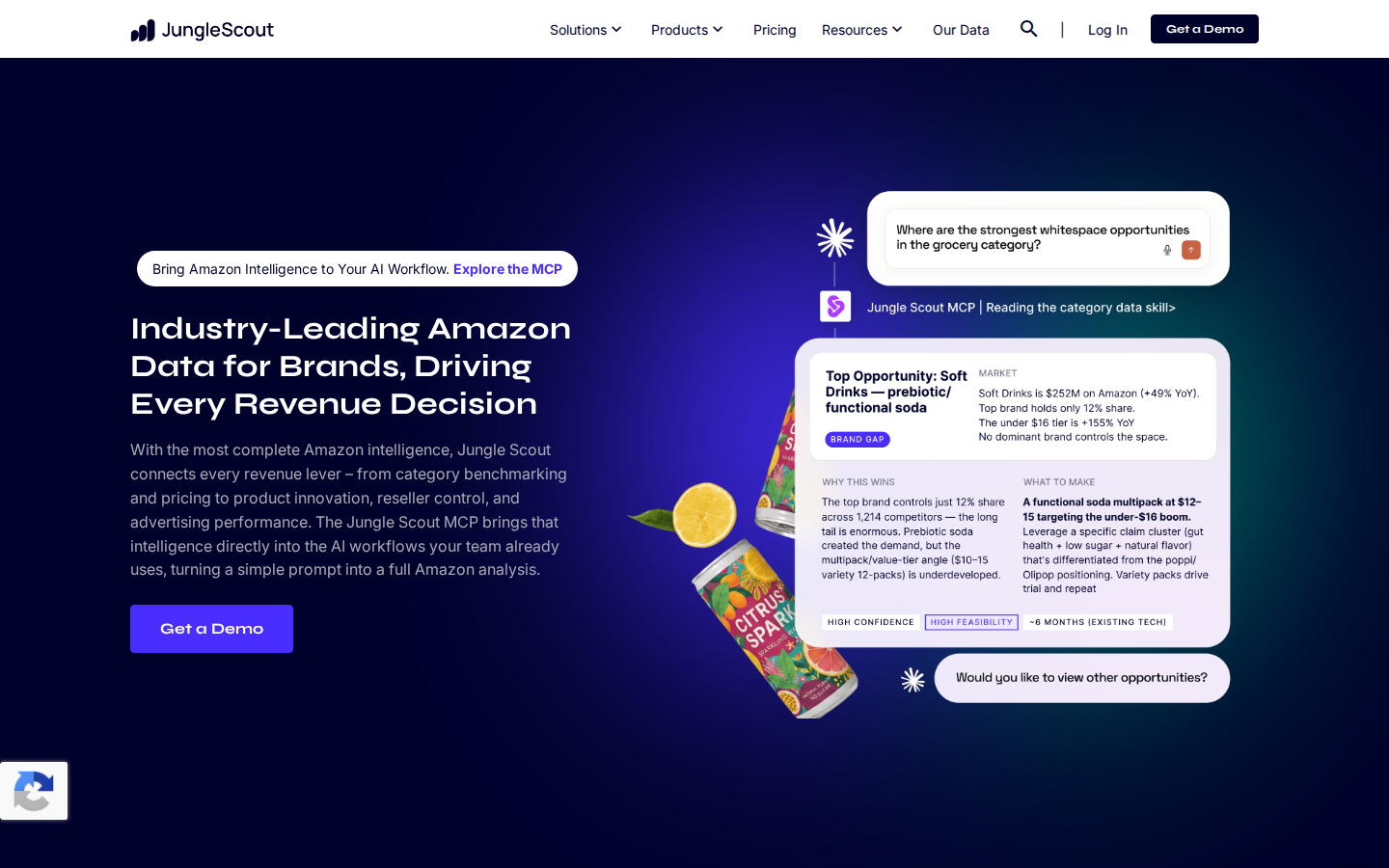
Jungle Scout MCP connects AI tools to Jungle Scout’s marketplace intelligence. Its documented coverage includes categories, competitors, brands, sellers, pricing, products, keywords, and performance.
Jungle Scout’s platform comparison identifies Cobalt as the intelligence behind the MCP offering.
That makes it a relevant alternative for brand and insights teams researching category growth, competitive movement, pricing opportunities, and assortment gaps. It belongs in the competitive-intelligence group alongside SmartScout.
Suggested prompt: “Prepare a category brief comparing leading brands, price tiers, and market share. Explain the scope and limitations of the data.”
Choose Jungle Scout when: Your team uses Cobalt or wants to evaluate another established Amazon research provider’s MCP offering.
What to compare: Request the same business analysis from each provider during evaluation. Check marketplace coverage, market definitions, historical availability, exports, and plan access instead of assuming that matching feature names produce identical answers.
4. Amazon Ads MCP Server: Best for Your Own Advertising Data and Workflows
TheAmazon Ads MCP Serveris maintained by Amazon Ads. Amazon’s announcement describes performance reporting, campaign management, account settings, and financial capabilities.
Suggested prompt: “Compare my campaign performance across the last two complete months. Identify material changes and propose actions for review.”
Choose it when: You need an Amazon-maintained route to authorized advertising functionality and have the required access.
Important limit: Your account’s reported ad spend and a competitor’s estimated ad spend are different data products. This server does not make a competitor’s private advertising account available to you.
Because its capabilities include campaign changes, configure permissions and review steps to match the workflow. Reporting and execution should be deliberate choices.
5. Amazon Data Kiosk MCP Sample: Best for Developer-Led Account Analytics
It connects natural-language analysis to Data Kiosk queries, with seller and vendor analytics configurations. Amazon’s example workflow builds a GraphQL query, submits it, checks completion, and processes the returned data.
Suggested prompt: “Analyze daily sales by SKU for the requested period and identify the largest changes.”
Choose it when: Your technical team wants to build or customize an account-analytics workflow using Amazon’s published example.
What to know: This is a developer sample, not a turnkey managed analytics subscription. The documented setup includes cloning the repository, installing dependencies, building the project, and configuring credentials. Your team remains responsible for implementation and maintenance.
Like other authorized account integrations, its scope differs from a provider that models the wider competitive marketplace.
6. Bright Data MCP: Best for Public Amazon Product and Pricing Data
Bright Data’s Amazon MCP offering focuses on retrieving public Amazon information. Its documented use cases include product listings, prices, product details, and reviews.
That can support custom research workflows where an assistant needs information from specific public pages. For example, a team could collect product attributes and observed prices for a defined list of competing ASINs.
Suggested prompt: “Retrieve the available public product details for these ASINs and compare their prices and attributes. Include source URLs and retrieval times.”
Choose it when: You need public web data to feed a custom analysis or application.
Important limit: Extracting a product page does not reveal its exact sales, a brand’s private advertising spend, or complete category market share. Those questions require additional data and methodology.
Where Amazon Quick Fits: An MCP Workspace for Connected Data
Amazon Quick deserves a place in this guide, but its role needs to be clear.
In short, Quick can be the workspace where people interact with connected tools. The configured servers supply the data and capabilities.
For your own Amazon business data, Quick would need a suitable, authorized data connection. Its MCP support alone does not automatically import Seller Central, Vendor Central, or Amazon Ads information.
Choose Amazon Quick’s integration approach when: Your organization wants to work with connected enterprise data inside Quick and can configure compatible servers and authentication.
Check compatibility for the specific server you plan to use. Support for the same protocol does not guarantee that every authentication method or tool works unchanged across every client.
Your Own Amazon Data vs. Competitor Intelligence
This distinction is the most useful starting point for selecting a server.
Business question
Data you need
What did my products sell last month?
Authorized account reporting
What did my campaigns spend?
Authorized Amazon Ads reporting
How much revenue might a competing brand generate?
Marketplace revenue estimates
Which brands lead a category?
Market intelligence with a defined category and denominator
How much might competitors spend on advertising?
Competitive advertising estimates
What price appears on a public product page now?
Observed public listing data
A strong analysis may combine several of these sources. For example, your internal reports could show revenue increasing while market estimates suggest your category grew faster. That is a reason to investigate possible share loss—not proof by itself.
When combining datasets, align the marketplace, dates, currency, product scope, and metric definitions. Ordered sales, shipped sales, and modeled marketplace revenue should not be treated as interchangeable without checking their definitions.
How to Get More Trustworthy Answers From an Amazon MCP Server
An AI-generated answer is easier to evaluate when it explains where the numbers came from. Ask for the following with any material analysis:
Source: Which provider, account, or tool returned the data?
Scope: Which marketplace, brands, products, and dates are included?
Metric definition: Is this reported revenue, estimated revenue, observed price, or attributed advertising sales?
Freshness: When was the data observed or last refreshed?
Completeness: Were results filtered, truncated, paginated, or missing?
Interpretation: Which conclusions are directly supported, and which are hypotheses?
For category market share, always ask what defines the market. A brand’s share of an Amazon subcategory can differ substantially from its share of a custom product segment.
For ad spend estimates, ask about the modeled scope before comparing them with an actual account bill. Precision in presentation does not eliminate uncertainty in the underlying estimate.
A useful prompt to append to your research requests is:
Include sources, date ranges, metric definitions, and missing-data notes. Label estimates explicitly. Do not infer private competitor metrics from public listing data alone.
FAQs
Best Amazon MCP Servers for Competitor Research, Seller Data, and AI Analytics
Lorem ipsum dolor sit amet, consectetur adipiscing elit, sed do eiusmod tempor incididunt ut labore et dolore magna aliqua. Ut enim ad minim veniam, quis nostrud exercitation ullamco laboris nisi ut aliquip ex ea commodo consequat. Duis aute irure dolor in reprehenderit in voluptate velit esse cillum dolore eu fugiat nulla pariatur.
Lorem ipsum dolor sit amet, consectetur adipiscing elit, sed do eiusmod tempor incididunt ut labore et dolore magna aliqua. Ut enim ad minim veniam, quis nostrud exercitation ullamco laboris nisi ut aliquip ex ea commodo consequat. Duis aute irure dolor in reprehenderit in voluptate velit esse cillum dolore eu fugiat nulla pariatur.
Lorem ipsum dolor sit amet, consectetur adipiscing elit, sed do eiusmod tempor incididunt ut labore et dolore magna aliqua. Ut enim ad minim veniam, quis nostrud exercitation ullamco laboris nisi ut aliquip ex ea commodo consequat. Duis aute irure dolor in reprehenderit in voluptate velit esse cillum dolore eu fugiat nulla pariatur.